Spatial Computing Gadgets You Can Buy Today

The world of spatial computing is no longer confined to science fiction or research labs. It’s here, it’s accessible, and it’s transforming how we interact with digital content in physical spaces. Whether you’re looking to enhance your productivity, dive into immersive gaming, or explore mixed reality experiences, today’s market offers compelling options that bridge the gap between our physical and digital worlds. Moreover, the technology has matured to the point where everyday consumers can actually buy and use these devices without needing a computer science degree.

Right now, you can walk into a store or order online and get your hands on spatial computing gadgets that were unimaginable just a few years ago. From Apple’s Vision Pro to Meta’s Quest headsets, these devices are redefining how we work, play, and connect. The best part? They’re becoming increasingly affordable and user-friendly, making spatial computing accessible to a broader audience than ever before.

Apple Vision Pro: The Premium Spatial Experience

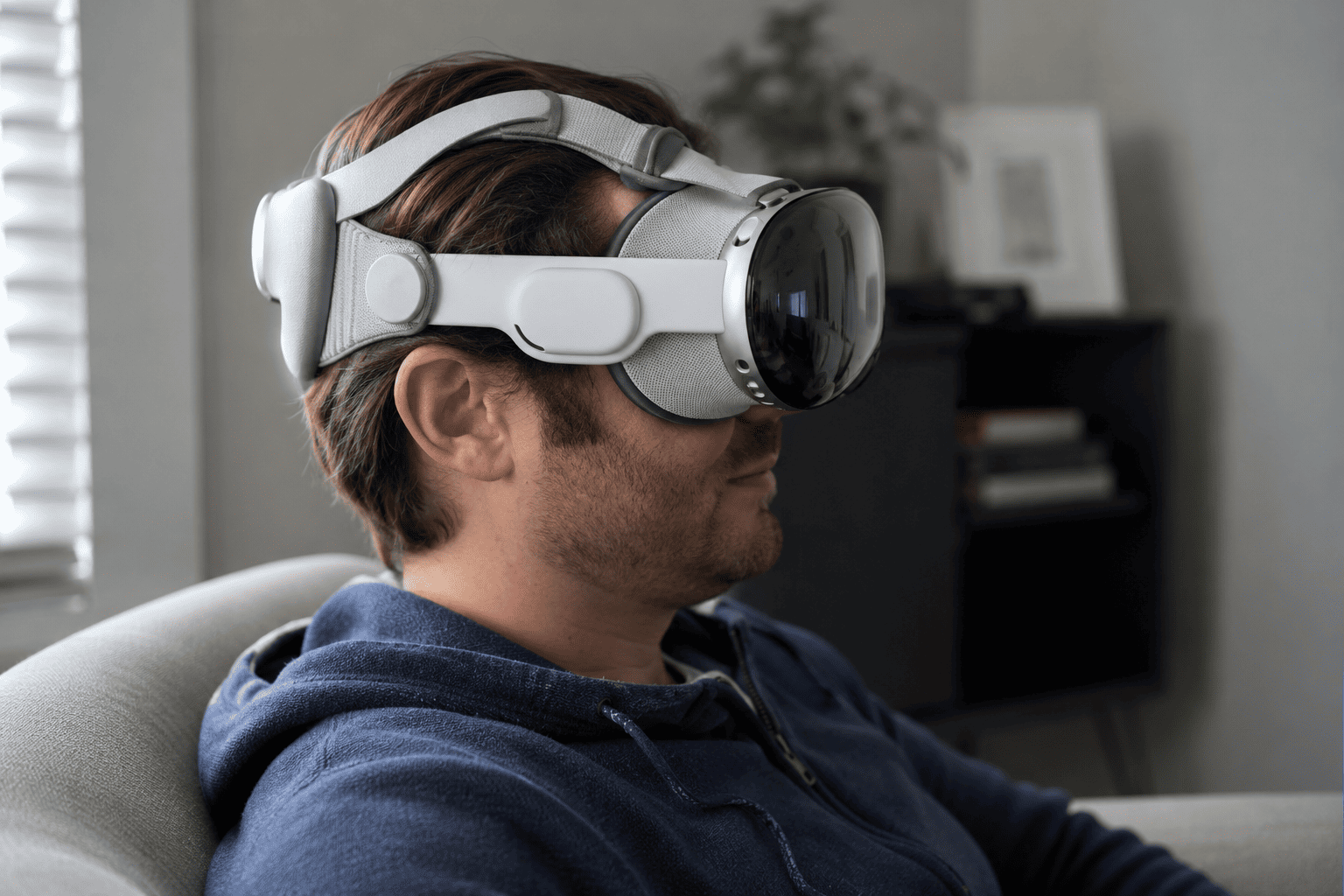
Apple’s Vision Pro represents the pinnacle of consumer spatial computing technology available today. Starting at $3,499, this isn’t an impulse purchase, but rather an investment in cutting-edge technology that delivers an experience unlike anything else on the market. The device features stunning 4K displays for each eye, advanced eye and hand tracking, and seamless integration with the Apple ecosystem.

What makes the Vision Pro stand out is its ability to blend digital content with your physical environment naturally. You can place virtual screens anywhere in your room, interact with apps using just your eyes and hands, and switch between full immersion and augmented reality with a simple dial twist. The passthrough video quality is exceptional, making it feel less isolating than traditional VR headsets.

Device Price Best For Rating
Apple Vision Pro $3,499+ Premium experience, Apple users 9/10
Meta Quest 3 $499 Gaming, everyday users 8.5/10
Microsoft HoloLens 2 $3,500 Enterprise, professionals 8/10

Vision Pro Performance in Real-World Use

In practice, the Vision Pro excels at productivity tasks. You can set up multiple virtual monitors while working, watch movies on a massive virtual screen, or video chat with colleagues using realistic digital avatars. However, the weight becomes noticeable after extended use, and the battery pack tethered to your waist takes some getting used to. Similar to how AI-powered PCs are revolutionizing mobile computing, the Vision Pro represents a paradigm shift in how we interact with technology.

Pros

  • Best-in-class display quality and visual fidelity
  • Intuitive eye and hand tracking without controllers
  • Seamless Apple ecosystem integration
  • Exceptional passthrough video quality

Cons

  • Extremely high price point limits accessibility
  • Heavy and can cause discomfort during extended wear
  • Limited app ecosystem compared to competitors
  • External battery pack adds inconvenience

Meta Quest 3: Best Value for Most People

Meta Quest 3 headset - Meta Quest 3: Best Value for Most People

At $499 for the 128GB model, the Meta Quest 3 offers remarkable value in the spatial computing space. This standalone headset doesn’t require a PC or smartphone to function, making it the most accessible entry point for most consumers. Meta has refined the mixed reality experience significantly, with improved passthrough cameras that let you see your surroundings while wearing the headset.

The Quest 3 shines particularly in gaming and entertainment. It has access to the largest library of VR content available, including exclusive titles and popular games. The controllers are comfortable and intuitive, though the device also supports hand tracking for controller-free interactions. Additionally, you can connect it to a gaming PC for even more demanding experiences.

What Makes Quest 3 Stand Out

One common mistake people make is underestimating the Quest 3’s capabilities due to its lower price. In reality, it delivers impressive performance for most use cases. The display resolution is sharp enough for comfortable reading and movie watching, and the Snapdragon XR2 Gen 2 processor handles demanding applications smoothly. Battery life averages around two to three hours, which is typical for this category.

For remote workers seeking portable solutions, the Quest 3 offers virtual desktop capabilities that let you work with multiple screens anywhere. However, text clarity isn’t quite as crisp as the Vision Pro, so extended document work can be challenging.

Pros

  • Excellent value at $499
  • Massive content library with thousands of apps
  • Standalone operation with no PC required
  • Comfortable for extended gaming sessions

Cons

  • Lower display resolution than premium options
  • Passthrough quality adequate but not exceptional
  • Meta account required for use
  • Battery life could be better

Microsoft HoloLens 2: The Enterprise Champion

Microsoft HoloLens 2 device - Microsoft HoloLens 2: The Enterprise Champion

While the HoloLens 2 carries a similar price tag to the Vision Pro at around $3,500, it targets a completely different audience. This is a true augmented reality device designed specifically for business and industrial applications. Unlike enclosed VR headsets, the HoloLens 2 lets you see your actual environment with digital holograms overlaid on top.

Manufacturing, healthcare, and engineering professionals have embraced the HoloLens 2 for training, remote assistance, and visualization tasks. Surgeons can view patient data during procedures, engineers can visualize 3D models at full scale, and technicians can receive real-time guidance from remote experts. The device features enterprise-grade security and management tools that IT departments require.

Real-World Enterprise Applications

What works well with the HoloLens 2 is its hands-free operation and wide field of view. You can manipulate holograms using natural hand gestures while keeping your hands free for actual work. The device is also designed for all-day wear with excellent weight distribution, though the form factor is bulkier than consumer options.

However, for casual consumers, the HoloLens 2 is overkill. The app ecosystem is focused entirely on business applications, and the display brightness can struggle in very bright environments. This is a specialized tool for specific professional use cases, not a general-purpose spatial computing device.

Pros

  • True augmented reality with see-through display
  • Excellent for hands-free professional applications
  • Comfortable for all-day wear
  • Enterprise-grade security and management

Cons

  • Very expensive for individual consumers
  • Limited consumer-focused content
  • Narrow field of view compared to VR headsets
  • Display struggles in bright environments

Other Notable Spatial Computing Options

Beyond the big three, several other devices deserve consideration depending on your specific needs. The PSVR2 from Sony offers exceptional gaming performance for PlayStation 5 owners at $549, though it requires the console to function. Meanwhile, the Valve Index remains popular among PC gamers despite being several years old, priced at $999 for the complete kit.

For budget-conscious buyers, the Meta Quest 2 is still available at reduced prices starting around $249. While not as advanced as the Quest 3, it provides a solid entry point into spatial computing. Additionally, the tech enthusiast community continues to embrace devices like the Pimax Crystal for ultra-high-resolution VR experiences, though these require powerful gaming PCs.

What to Consider Before Buying

Spatial computing gadgets comparison - What to Consider Before Buying

Choosing the right spatial computing device depends on several critical factors. First, determine your primary use case. Gaming enthusiasts will find the Quest 3 offers the best combination of price and content. Professionals working in creative fields might justify the Vision Pro’s premium price for its superior display quality. Enterprise users should look exclusively at the HoloLens 2 or similar business-focused devices.

Budget obviously plays a major role. As a result, most consumers will gravitate toward the Quest 3 as their first spatial computing device. Furthermore, consider the ecosystem you’re already invested in. Apple users will appreciate the Vision Pro’s integration with iPhones, iPads, and Macs, while PC gamers might prefer devices with SteamVR compatibility.

Key Specifications to Compare

When evaluating devices, pay attention to these specifications:

  • Display resolution and refresh rate for visual clarity and comfort
  • Field of view to determine how immersive the experience feels
  • Processing power for smooth performance in demanding applications
  • Battery life and whether the device requires external power
  • Weight and comfort for extended wear sessions
  • Available content library and app ecosystem

Just like choosing precision equipment such as kitchen scales for baking or stopwatches for athletic training, the right spatial computing device depends on matching specifications to your specific needs rather than simply buying the most expensive option.

Spatial computing represents a fundamental shift in how we interact with digital information. Whether you’re spending $499 on a Meta Quest 3 or investing $3,500 in an Apple Vision Pro, you’re gaining access to experiences that were impossible just a few years ago. The technology continues to evolve rapidly, with each generation bringing improvements in comfort, performance, and affordability. For most people ready to explore this new frontier, the Quest 3 offers the best entry point, while professionals and Apple enthusiasts will find their respective premium options deliver experiences worth the additional investment. The future of computing is spatial, and that future is available to buy today.