A gaming mouse gets most of the attention, but the surface underneath it matters more than many people realize. A good mouse pad can improve tracking, give you smoother movement, and make long gaming sessions much more comfortable. Whether you’re playing competitive shooters, MOBAs, MMOs, or just using your PC every day, upgrading your mouse pad is one of the easiest and most affordable improvements you can make to your setup.
Affiliate Disclaimer
This website participates in affiliate programs. We may earn a commission
when you purchase products through links on this page, at no additional
cost to you. Our recommendations are based on independent research and
honest opinions.
I compared some of the best gaming mouse pads available this year, ranging from compact cloth pads to oversized desk mats with RGB lighting and even built-in wireless charging. Some focus on pure gaming performance, while others add convenience or extra desk coverage. In this guide, I’ll help you figure out which one is worth buying based on how you actually use your gaming PC.
Quick Comparison: Best Gaming Mouse Pads in 2026
| Product | Best For | Size | Approx. Price |
|---|---|---|---|
| SteelSeries QcK Medium Gaming Mouse Pad | Best Overall | Medium | $10.99 |
| ExtreLife RGB Gaming Mouse Pad with Wireless Charging | Best RGB Desk Mat | XXL | $39.99 |
| Naukay XXL Gaming Mouse Pad | Best Budget Extended Pad | XXL | $9.99 |
| Razer Gigantus V2 XXL | Best for FPS Gaming | XXL | $22.99 |
| Yuboo Cottagecore Desk Mat | Best Desk Style | XXL | Around $20 |
My Top Recommendation
If you’re asking me which gaming mouse pad I’d buy today, my answer is the SteelSeries QcK Medium. It’s been one of the most trusted mouse pads in the gaming world for years, and for good reason. At just $10.99, it delivers excellent tracking, a comfortable cloth surface, and a non-slip rubber base without asking you to spend much money.
Of course, not everyone wants the same kind of mouse pad. If you like oversized desk mats with RGB lighting, the ExtreLife model is a fun upgrade. If you’re a competitive FPS player who needs lots of room for low-sensitivity aiming, the Razer Gigantus V2 is hard to beat. And if you simply want to cover your desk without spending much, the Naukay XXL pad offers outstanding value.
1
SteelSeries QcK Medium Review: Best Overall Gaming Mouse Pad
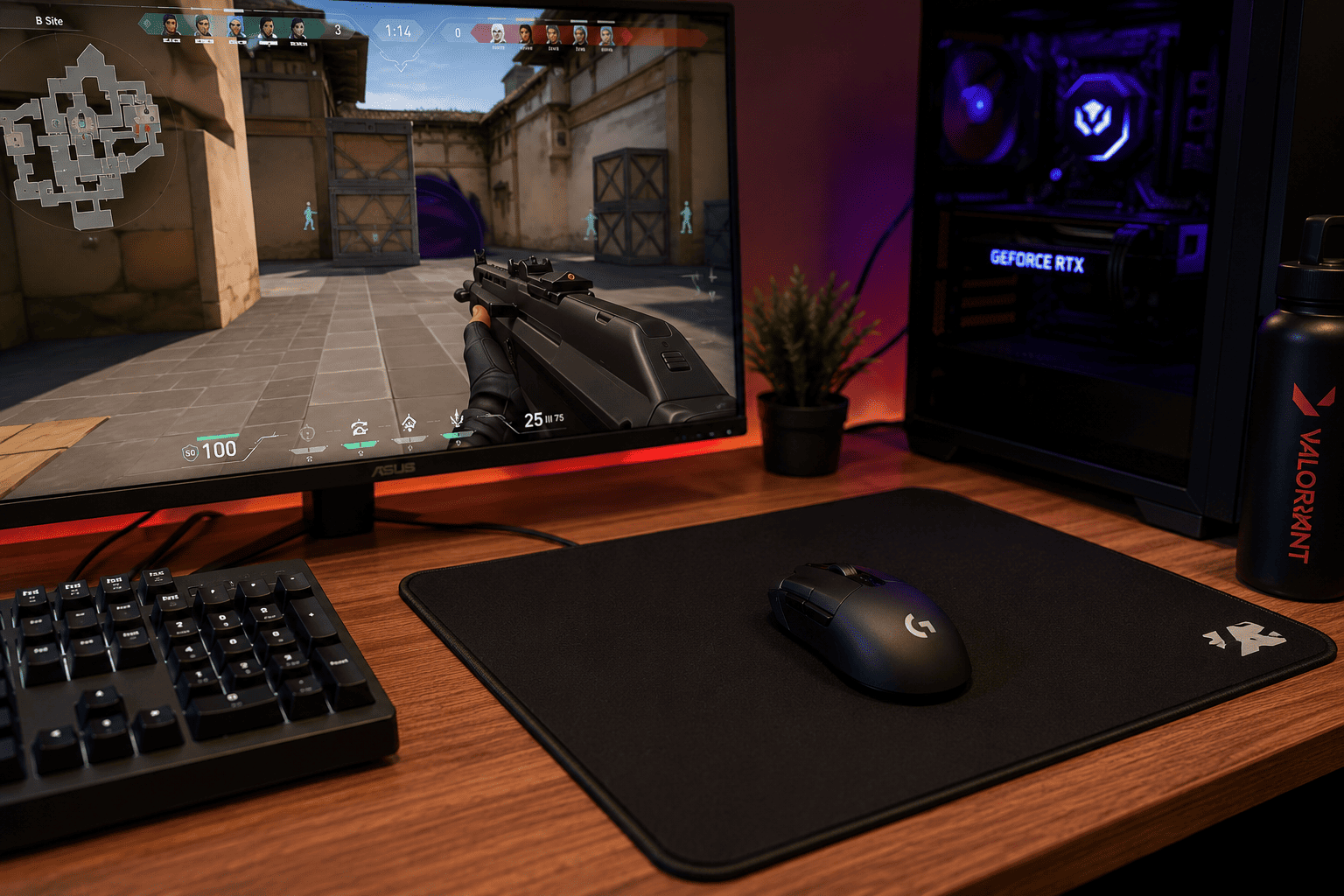
For around $10.99, the SteelSeries QcK Medium Gaming Mouse Pad continues to be one of the easiest recommendations for both casual and competitive gamers. Sometimes the simplest products are the best, and that’s exactly what you get here: a reliable cloth mouse pad that simply works.
The surface strikes a nice balance between speed and control. Fast flicks feel smooth in shooters like Counter-Strike 2 and Valorant, while slower, more precise movements remain accurate enough for strategy games and everyday desktop work. It doesn’t matter whether you’re using an optical or laser gaming mouse; tracking stays consistent across the entire surface.
The non-slip rubber base is another reason so many gamers keep coming back to the QcK series. Once it’s on your desk, it stays put, even during intense gaming sessions. The stitched-free edges also help keep the surface comfortable under your wrist without feeling bulky.
Here are the highlights:
- Smooth cloth surface with excellent sensor tracking
- Great balance between speed and control
- Non-slip rubber base keeps it firmly in place
- Comfortable for long gaming sessions
- Works well with virtually every gaming mouse
- Outstanding value at around $11
If you don’t need RGB lighting or an oversized desk mat, this is honestly one of the smartest gaming accessories you can buy. It delivers consistent performance without adding unnecessary extras, and that’s exactly why it remains a favorite among gamers.
2
Razer Gigantus V2 Review: Best XXL Mouse Pad for FPS Players

If you play first-person shooters with a low mouse sensitivity, the Razer Gigantus V2 Cloth Gaming Mouse Pad is well worth considering. Selling for around $22.99, it gives you a huge amount of room for wide arm movements without feeling rough or overly slippery.
One thing I like about the Gigantus V2 is how consistent the surface feels. Whether you’re making tiny aiming adjustments or sweeping your mouse across the desk, tracking stays predictable. That’s especially helpful in competitive shooters where accuracy matters more than flashy features.
The thick, high-density foam also makes a noticeable difference during longer sessions. Your wrist feels supported, and the pad lies flat without bunching up. Combined with the non-slip rubber base, it creates a solid foundation for everything from esports titles to everyday work.
A few reasons it’s worth buying include:
- XXL size provides plenty of room for low-sensitivity gaming
- Smooth cloth surface with reliable tracking
- Thick foam adds extra comfort
- Non-slip rubber base keeps the pad stable
- Durable construction from a trusted gaming brand
- Great balance of performance and price
If your current mouse pad constantly feels too small or you find yourself running out of room during intense matches, the Gigantus V2 is a noticeable upgrade that doesn’t cost a fortune.
3
ExtreLife RGB Gaming Mouse Pad Review: Best RGB Mouse Pad with Wireless Charging

If you want your desk setup to do more than just improve your gameplay, the ExtreLife RGB Gaming Mouse Pad with 15W Wireless Charging is one of the most feature-packed options in this roundup. At around $39.99, it combines an oversized desk mat, customizable RGB lighting, and a built-in 15W wireless charger into a single accessory.
The XXL surface easily holds both your keyboard and mouse, giving your entire setup a cleaner and more organized look. I also like that the charging area lets you top up a compatible phone without adding another charger to your desk. It’s a small convenience, but one you’ll probably end up using every day.
Performance isn’t sacrificed either. The cloth surface provides smooth mouse movement, while the waterproof coating helps protect against accidental spills. Add the non-slip rubber base, and everything stays firmly in place even during intense gaming sessions.
Some of the standout features include:
- Built-in 15W wireless phone charging
- Large XXL desk mat design
- 16 customizable RGB lighting modes
- Smooth cloth surface for accurate tracking
- Waterproof finish for easy cleanup
- Non-slip rubber base for extra stability
If you enjoy RGB lighting and want your gaming desk to look as good as it performs, this mouse pad offers far more than just a surface for your mouse.
4
Naukay XXL Gaming Mouse Pad Review: Best Budget Extended Desk Mat

The Naukay XXL Gaming Mouse Pad proves that you don’t have to spend much to get a quality extended mouse pad. At only $9.99, it offers enough room for both your keyboard and mouse while still costing less than many standard-sized gaming pads.
One thing I appreciate is its simplicity. There are no RGB lights or extra features to worry about. Instead, it focuses on giving you a large, comfortable surface that’s equally useful for gaming, work, and everyday browsing. The smooth cloth material allows your mouse to glide naturally, and the rubber base helps prevent the pad from shifting around.
The waterproof surface is another welcome addition. Whether it’s coffee, soda, or water, cleaning up small spills is much easier than with many older cloth mouse pads.
Here’s what I like most:
- Excellent value for under $10
- Large enough for keyboard and mouse
- Smooth tracking surface
- Waterproof coating
- Non-slip rubber backing
- Great for gaming, work, and home offices
If your goal is simply to upgrade from a small mouse pad without spending much money, this is easily one of the best bargains available.
5
Yuboo Desk Mat Review: Best Mouse Pad for Style and Everyday Use

Not every gaming setup has to be black with RGB lights everywhere. If you want your desk to have a little more personality, the Yuboo Cottagecore Desk Mat is something refreshingly different.
Instead of focusing on competitive gaming aesthetics, this oversized desk mat features a soft blue-and-white gingham design that stands out from the usual plain black options. If your gaming space doubles as a study area or home office, it can make the whole desk feel brighter and more inviting.
Thankfully, it’s not just about appearance. The large surface gives your mouse plenty of room to move, while the waterproof finish helps protect against everyday spills. The cloth surface feels smooth during gaming, and the rubber backing keeps everything securely in place.
Some reasons to consider it include:
- Unique cottagecore-inspired design
- Large extended desk mat
- Waterproof surface
- Comfortable cloth material
- Stable non-slip rubber base
- Great for gaming, studying, and office work
This probably isn’t the first choice for esports players looking for maximum performance, but if you want a desk mat that’s both functional and visually appealing, it’s a refreshing alternative to traditional gaming mouse pads.
Final Recommendation
After comparing these mouse pads, here’s how I’d choose depending on what you’re looking for.
Choose the SteelSeries QcK Medium if:
- You want the best overall gaming performance.
- You mainly play FPS, MOBA, or RTS games.
- You prefer a compact, reliable mouse pad.
- You want excellent quality without spending much.
Choose the Razer Gigantus V2 if:
- You play with low mouse sensitivity.
- You need lots of room for large mouse movements.
- You want a trusted esports-focused mouse pad.
Choose the ExtreLife RGB Mouse Pad if:
- You enjoy RGB desk setups.
- You want wireless phone charging built into your desk mat.
- You like oversized mouse pads with extra features.
Choose the Naukay XXL Gaming Mouse Pad if:
- You’re on a tight budget.
- You want an extended desk mat.
- You need something that works well for gaming and everyday work.
Choose the Yuboo Desk Mat if:
- You want your desk to stand out.
- You prefer decorative desk accessories.
- You still want plenty of space for gaming and productivity.
Each of these mouse pads fills a different role, so the best one depends on your desk setup, gaming style, and budget.
Conclusion
A gaming mouse pad may not be the flashiest upgrade for your setup, but it’s one of those accessories you’ll notice every time you sit down to play. Better tracking, smoother mouse movement, and a more comfortable surface can make everything from competitive shooters to everyday browsing feel a little better.
If I were buying one today, I’d still go with the SteelSeries QcK Medium. It’s affordable, dependable, and has earned its reputation by delivering consistent performance year after year. If you want something larger, the Razer Gigantus V2 is an excellent choice, while the Naukay XXL offers incredible value for anyone building a gaming setup on a budget. And if you love RGB lighting or a cleaner all-in-one desk setup, the ExtreLife RGB Mouse Pad adds features you won’t get from a standard cloth pad.
No matter which one you choose, upgrading to a quality mouse pad is a small investment that can improve both your gaming experience and the overall look of your desk. It’s one of the simplest upgrades you can make, and it’s one you’ll appreciate every single day.