Android tablets have changed a lot in recent years. They are no longer just larger versions of smartphones for watching videos. In 2026, many Android tablets can handle online classes, note-taking, office tasks, video calls, entertainment, and everyday productivity without needing a full laptop.
Affiliate Disclaimer
This website participates in affiliate programs. We may earn a commission
when you purchase products through links on this page, at no additional
cost to you. Our recommendations are based on independent research and
honest opinions.
The challenge is choosing the right one. A tablet that works well for watching Netflix may not be the best choice for studying or multitasking. Performance, storage, battery life, display quality, and software experience all play a role.
In this guide, I’ll explain what to look for in an Android tablet in 2026, how tablets fit into work and study routines, and two affordable options that offer different features depending on what you need.
Are Android Tablets Worth Buying in 2026?
For many people, an Android tablet can be a practical middle ground between a smartphone and a laptop.
A phone is convenient but often too small for longer tasks. A laptop is powerful but less portable.
A tablet gives you:
- A larger screen than a phone
- Better portability than a laptop
- Touch-based interaction
- Long battery life
- Access to Android apps
They work especially well for:
- Students
- Remote workers
- Casual users
- Families
- Entertainment-focused users
However, tablets are not replacements for every laptop task. If you regularly use advanced software like professional video editing tools, engineering programs, or complex desktop applications, a laptop is still usually the better option.
What Can You Use an Android Tablet For?
Modern Android tablets are flexible because they support thousands of apps through the Google Play Store.
For Work
A tablet can handle many everyday work tasks.
Examples include:
- Email management
- Video meetings
- Document editing
- Web research
- Cloud storage access
- Team communication apps
With a keyboard accessory, some tablets can feel closer to a lightweight laptop for basic productivity.
For Study
Students often benefit from tablets because they combine portability with a larger screen.
Useful tasks include:
- Reading digital textbooks
- Taking notes
- Watching lectures
- Researching topics
- Joining online classes
A 10-inch display is usually a comfortable size because it provides enough space without becoming difficult to carry.
For Entertainment
Entertainment remains one of the biggest reasons people buy tablets.
A good tablet can be used for:
- Streaming movies
- Watching YouTube
- Reading books
- Playing casual games
- Browsing social media
A larger screen creates a better viewing experience compared with a phone.
Important Things to Check Before Buying an Android Tablet
Not every tablet offers the same experience. Budget models can look similar on paper but perform very differently.
Display Quality
The display is one of the most important parts of a tablet because you interact with it constantly.
Look for:
- Comfortable screen size
- Good brightness
- Clear resolution
- Responsive touch controls
For most people, a 10-inch screen provides a good balance between portability and usability.
Performance
The processor and RAM determine how smoothly the tablet handles apps.
A tablet with stronger hardware will perform better when you:
- Open multiple apps
- Switch between tasks
- Use productivity apps
- Play games
For basic browsing and streaming, you do not need the most powerful hardware.
Storage Space
Storage becomes important because tablets are often used for:
- Videos
- Photos
- Documents
- Apps
- Games
Many affordable tablets include expandable storage through microSD cards, which can be useful if you need extra space.
Battery Life
A good tablet should last through several hours of normal use.
Battery performance depends on:
- Screen brightness
- App usage
- Network activity
- Background processes
A larger battery is helpful, but software optimization also matters.
Connectivity
Modern tablets should support reliable wireless connections.
Useful features include:
- Wi-Fi support
- Bluetooth
- USB connectivity
Newer wireless standards can improve speed and connection stability.
Android Version and Updates
The Android version affects:
- App compatibility
- Security
- Features
- User experience
A newer Android version can provide a more modern experience, but long-term update support also matters.
Android Tablet vs Laptop: Which One Makes More Sense?
The choice depends on your daily tasks.
An Android tablet is better if you:
- Want something lightweight
- Mostly browse, stream, and read
- Take notes
- Attend online classes
- Travel frequently
A laptop is better if you:
- Need professional software
- Work with large files
- Do advanced editing
- Need a full desktop operating system
For many casual users and students, a tablet can cover most daily needs without the extra size of a laptop.
Why Affordable Android Tablets Have Become Popular
Budget Android tablets have improved because manufacturers are offering better hardware at lower prices.
Many affordable models now include:
- Larger displays
- More storage options
- Better wireless connectivity
- Modern Android versions
- Longer battery life
They may not compete with high-end tablets, but they can provide excellent value for everyday activities.
After understanding what matters in a tablet, the next step is choosing a model that matches your needs.
1
Jeazans 2026 Upgraded Android 16 Tablet
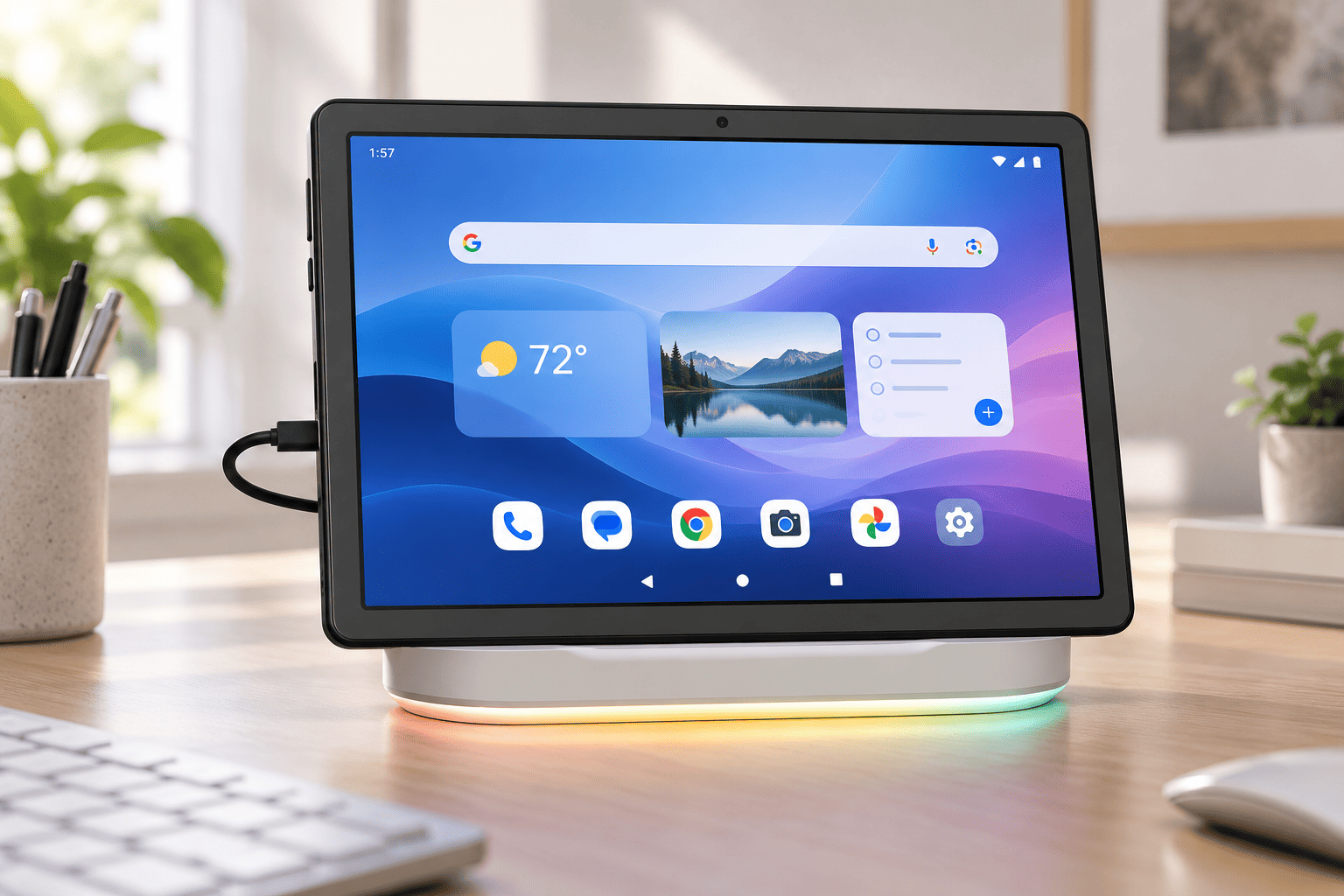
The Jeazans 2026 Upgraded Android 16 Tablet is designed as an affordable all-purpose tablet for students, families, and everyday users.
It comes with a 10.1-inch display, Android 16, an 8-core processor, expandable storage support, and features aimed at making it suitable for general productivity and entertainment.
One of the interesting additions is its included dock station, which gives it a more flexible setup compared with a basic tablet.
Key features include:
- 10.1-inch display
- Android 16 operating system
- 8-core processor
- 64GB internal storage
- Up to 1TB expandable storage
- Wi-Fi 6 support
- Bluetooth 5.4
- Gemini AI support
- Dock station included
- 3-year protection plan
At around $109.99, it targets people who want a capable tablet without spending a large amount.
The expandable storage is especially useful because tablets are often used for downloading videos, storing documents, and installing multiple apps.
For students, it can work well for online learning, reading, browsing, and note-taking. For families, it can serve as a shared entertainment device for streaming and casual use.
It is not designed as a replacement for a high-performance laptop, but it covers many everyday tasks that most people actually use tablets for.
2
Android 16 Tablet 10 Inch with 24GB RAM, 64GB ROM, 1TB Expansion

The Android 16 Tablet 10 Inch with 24GB RAM, 64GB ROM, and 1TB Expansion focuses on providing a large amount of memory and storage flexibility at a budget-friendly price.
It features a 10-inch HD IPS touchscreen, Wi-Fi 6 support, Bluetooth 5.4, and a large battery designed for everyday entertainment and productivity.
Key features include:
- 10-inch HD IPS touchscreen
- Android 16
- 24GB RAM configuration
- 64GB storage
- Up to 1TB expandable storage
- Wi-Fi 6
- Bluetooth 5.4
- 6000mAh battery
- Dual cameras
At around $79.98, it is positioned as an affordable option for people who want a larger-screen Android device for basic tasks.
The combination of expandable storage and a large display makes it suitable for:
- Watching videos
- Reading
- Online classes
- Web browsing
- Light productivity
The tablet is not aimed at demanding professional workloads, but it offers the features many casual users look for when they want an inexpensive secondary device.
For children, students, or anyone who mainly needs a tablet for entertainment and everyday use, this type of device can provide good value.
How Much Storage Do You Really Need?
Storage needs depend on how you use your tablet.
For basic use:
- Web browsing
- Streaming
64GB can be enough.
For heavier use:
- Downloaded movies
- Large games
- Many apps
- Offline learning materials
Expandable storage becomes much more valuable.
A tablet with microSD expansion gives you more flexibility because you do not have to choose a higher storage model immediately.
Tips to Get Better Performance From an Android Tablet
Even an affordable tablet can feel smoother with good habits.
Try these:
- Keep apps updated
- Remove apps you no longer use
- Avoid filling storage completely
- Restart the tablet occasionally
- Keep Android updated when available
- Use trusted apps from the Play Store
Small maintenance steps can improve long-term performance.
Final Thoughts
The best Android tablet in 2026 depends on how you plan to use it. There is no single model that fits everyone.
If you need a balanced tablet for study, entertainment, and everyday tasks, the Jeazans 2026 Upgraded Android 16 Tablet offers a strong combination of features, storage flexibility, and connectivity.
If your priority is affordability with a large screen, expandable storage, and basic everyday performance, the Android 16 Tablet 10 Inch with 24GB RAM and 1TB expansion support provides a budget-friendly option.
For most people, a good Android tablet does not need to replace a laptop. It simply needs to make daily tasks easier, more portable, and more comfortable.