Mac keyboards have come a long way over the last few years. You don’t have to spend Apple Magic Keyboard money to get a comfortable typing experience anymore. Whether you work from home, write all day, edit photos, code, or simply want something better than your MacBook’s built-in keyboard, there are plenty of great options that fit different budgets and work styles.
Affiliate Disclaimer
This website participates in affiliate programs. We may earn a commission
when you purchase products through links on this page, at no additional
cost to you. Our recommendations are based on independent research and
honest opinions.
I spent time comparing wired and wireless Mac keyboards to see where each one really shines. Some are perfect if you want an affordable everyday keyboard, while others offer premium features like multi-device connectivity, backlit keys, or built-in USB hubs. In this guide, I’ll walk you through the best keyboards for Mac users, explain what makes each one stand out, and help you decide which is worth your money.
Quick Comparison: Best Mac Keyboards in 2026
| Product | Best For | Connection | Approx. Price |
|---|---|---|---|
| TECKNET Wired Keyboard for MacOS | Best Budget Wired | USB-C & USB-A | $15.29 |
| OMOTON Wireless Keyboard for Mac | Best Compact Travel Keyboard | Bluetooth | $18.99 |
| Macally Wireless Bluetooth Keyboard | Best Full-Size Wireless | Bluetooth | $49.99 |
| Logitech MX Keys S | Best Overall Premium | Bluetooth & USB Receiver | $125.99 |
| Macally Wired Keyboard with USB Hub | Best Wired Productivity | USB-C & USB-A | $59.99 |
My Top Recommendation
If you asked me to recommend just one keyboard for most Mac users, I’d go with the Logitech MX Keys S. It isn’t the cheapest option here, but after using keyboards in this category for years, I think it’s the one that balances comfort, build quality, battery life, and extra features better than almost anything else.
The keys feel soft but responsive, the backlighting is genuinely useful when working at night, and switching between multiple Macs or even an iPad is incredibly simple. If you spend several hours a day typing, the extra money is easy to justify because you’ll notice the difference every single day.
That said, not everyone needs to spend over $100 on a keyboard. If your budget is tighter, the TECKNET and OMOTON keyboards offer excellent value and cover the basics surprisingly well.
1
Logitech MX Keys S Review: Best Overall Premium Keyboard for Mac
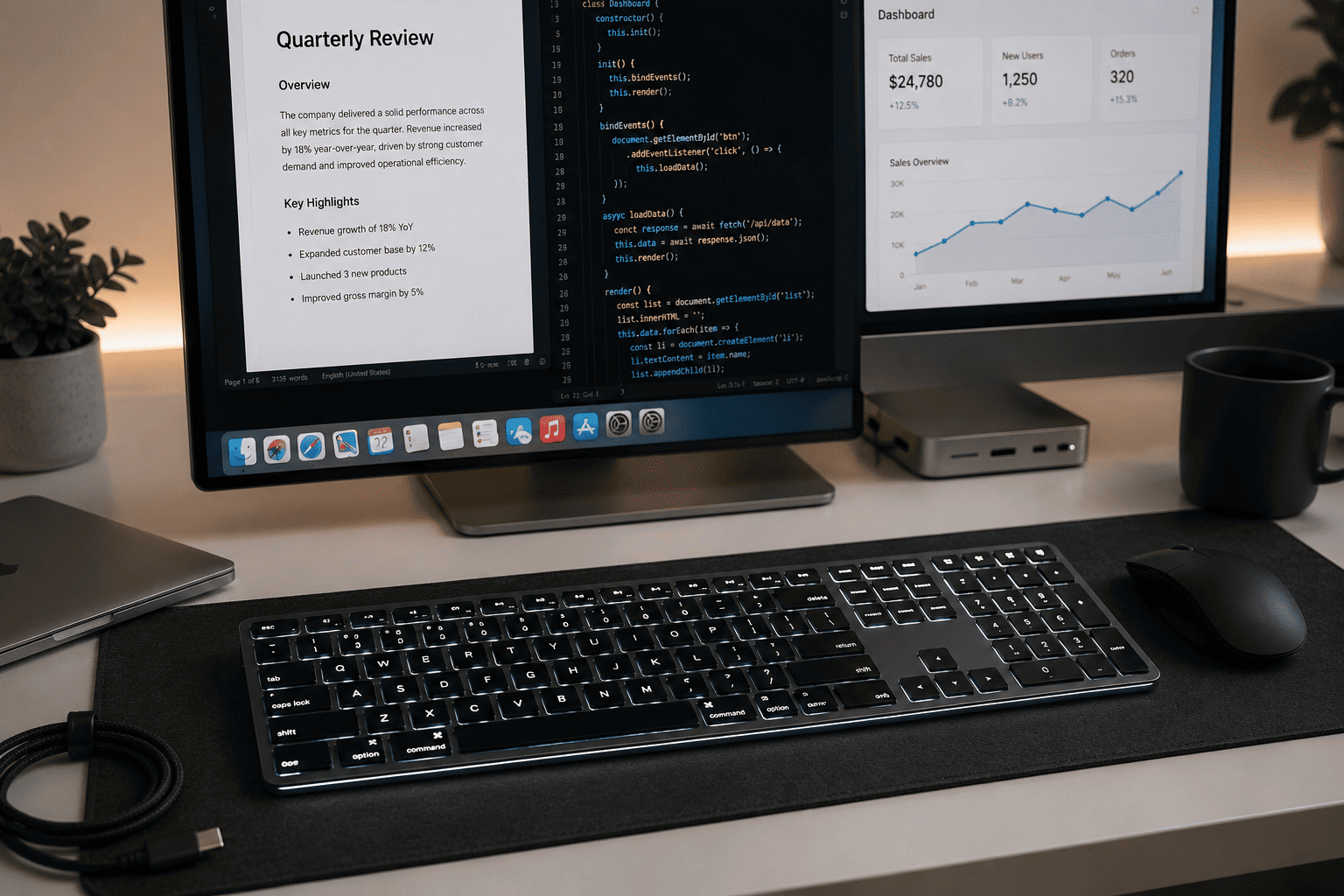
If you’re willing to spend around $125.99, the first keyboard I’d recommend looking at is the Logitech MX Keys S. It isn’t built just for Macs, but honestly, it feels like Logitech had Mac users in mind from the beginning. The layout feels familiar, setup takes only a couple of minutes, and macOS recognizes it immediately.
What really impressed me is how natural the typing experience feels. The keys have just enough travel to avoid feeling flat, yet they’re quiet enough that you won’t annoy everyone around you during long work sessions. If you spend your day writing reports, coding, editing documents, or answering emails, this keyboard stays comfortable even after several hours.
Another thing I appreciate is its smart backlighting. The keys automatically light up as your hands get close, which sounds like a small feature until you start working in dim lighting. Pair that with USB-C charging and long battery life, and you rarely have to think about keeping it powered.
A few highlights that make it stand out include:
- Comfortable low-profile keys with excellent tactile feedback
- Smart backlit keys that adjust automatically
- Connects to multiple devices and switches between them instantly
- Rechargeable battery with impressive runtime
- Premium metal construction that feels sturdy on any desk
- Programmable shortcut keys for faster workflows
This isn’t the keyboard I’d recommend if you’re simply trying to spend as little as possible. But if your keyboard is something you’ll use every day for years, I think it’s one of the easiest upgrades you can make to your Mac setup.
2
TECKNET Wired Keyboard Review: Best Budget Wired Choice
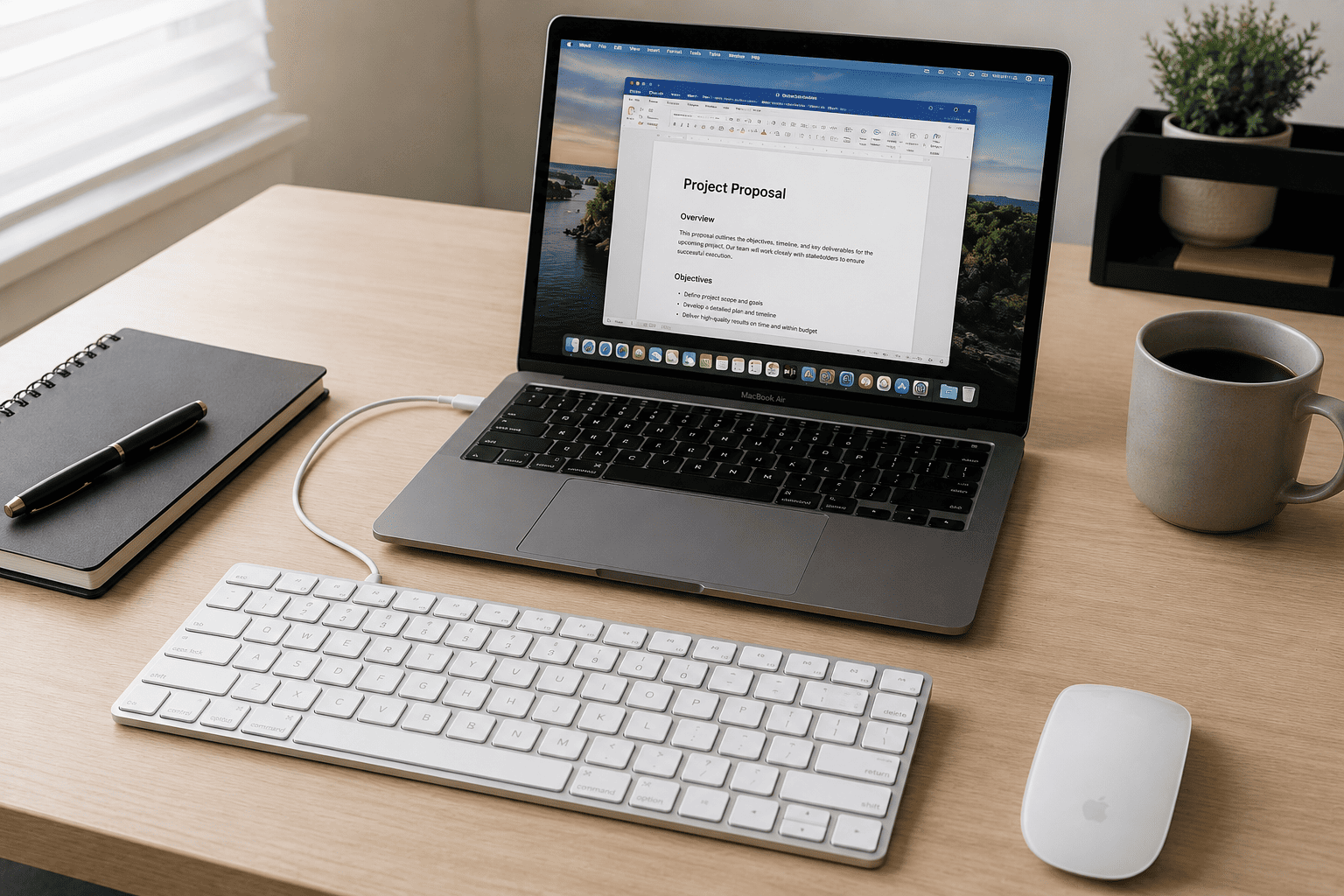
If your budget is around $15, it’s honestly hard to ignore the value offered by the TECKNET Wired Keyboard for MacOS Devices. At this price, I expected plenty of compromises, but it actually delivers a surprisingly enjoyable typing experience for everyday work.
Because it’s wired, you never have to think about charging batteries or dealing with Bluetooth pairing. Just plug it in and start typing. That’s still a huge advantage if your Mac is your primary work machine and reliability matters more than keeping your desk cable-free.
The keyboard has a slim profile with a slight typing angle that keeps your wrists in a comfortable position during longer sessions. The Mac-specific layout also means you don’t have to relearn shortcut keys or deal with awkward Windows key placements.
Here’s what stands out most:
- Extremely affordable without feeling cheap
- The dual USB interface supports different Mac models
- Comfortable low-profile keys
- Stable wired connection with zero input lag
- Slim design fits small desks nicely
- No charging or battery maintenance required
For students, office workers, family computers, or anyone replacing an aging wired keyboard, this is one of the best values you’ll find. It doesn’t try to include flashy features you probably won’t use. Instead, it focuses on delivering dependable typing at a price that’s difficult to beat.
3
OMOTON Wireless Keyboard Review: Best Compact Keyboard for Travel

If you like working from coffee shops, shared offices, or while traveling, the OMOTON Wireless Keyboard for Mac is one of those products that makes a lot of sense. At $18.99, it gives you a clean Mac-style layout without adding much weight to your backpack. If portability is high on your list, this one deserves a close look.
The first thing I noticed is just how compact it is. Since it skips the number pad, the keyboard takes up much less desk space than a full-size model. That also means your mouse stays closer to your typing position, which can feel more comfortable during long work sessions. If you mostly write, browse the web, answer emails, or edit documents, I don’t think you’ll miss the extra keys.
Bluetooth pairing is straightforward with Macs, and once connected, the keyboard stays reliably linked. The dedicated macOS function keys are another nice touch because you can quickly adjust brightness, volume, media playback, and other common controls without reaching for your MacBook keyboard.
A few reasons you might like it include:
- Compact design that’s easy to carry anywhere
- Bluetooth connection with no cables to manage
- Dedicated macOS shortcut keys
- Slim profile that matches Apple’s design style
- Quiet keys that work well in libraries and offices
- Excellent value for under $20
This isn’t the keyboard I’d buy for heavy spreadsheet work because there’s no numeric keypad. But for students, writers, travelers, and anyone who prefers a clean, minimalist desk, it’s one of the better budget wireless options available.
4
Macally Wireless Bluetooth Keyboard Review: Best Full-Size Keyboard for Productivity

If you spend most of your day working at a desk, the Macally Wireless Bluetooth Keyboard is a much better fit than a compact keyboard. Selling for around $49.99, it offers a full-size layout, a numeric keypad, and enough extra shortcuts to make everyday work faster.
One feature that immediately stands out is its ability to connect to up to three devices. That’s incredibly useful if your desk includes a MacBook, an iPad, and maybe another Mac or even a Windows PC. Switching between devices takes just a button press instead of constantly reconnecting Bluetooth.
The keyboard itself feels roomy. Having a dedicated number pad makes entering data, handling spreadsheets, bookkeeping, and financial work much quicker than using a compact layout. The keys are also spaced comfortably, reducing accidental presses when typing quickly.
Here’s what I like most:
- Full-size layout with dedicated numeric keypad
- Connects with up to three devices
- Rechargeable battery instead of disposable batteries
- More than 20 macOS shortcut keys
- Comfortable typing for long office sessions
- Clean aluminum-style design that looks at home beside a Mac
For creative work, office productivity, accounting, or anyone who prefers a traditional keyboard layout, this Macally model offers a nice balance between price and features. It doesn’t have premium extras like smart backlighting, but for about fifty dollars, it delivers plenty of everyday value.
5
Macally Wired Keyboard with USB Hub Review: Best Wired Keyboard for Desktop Setups
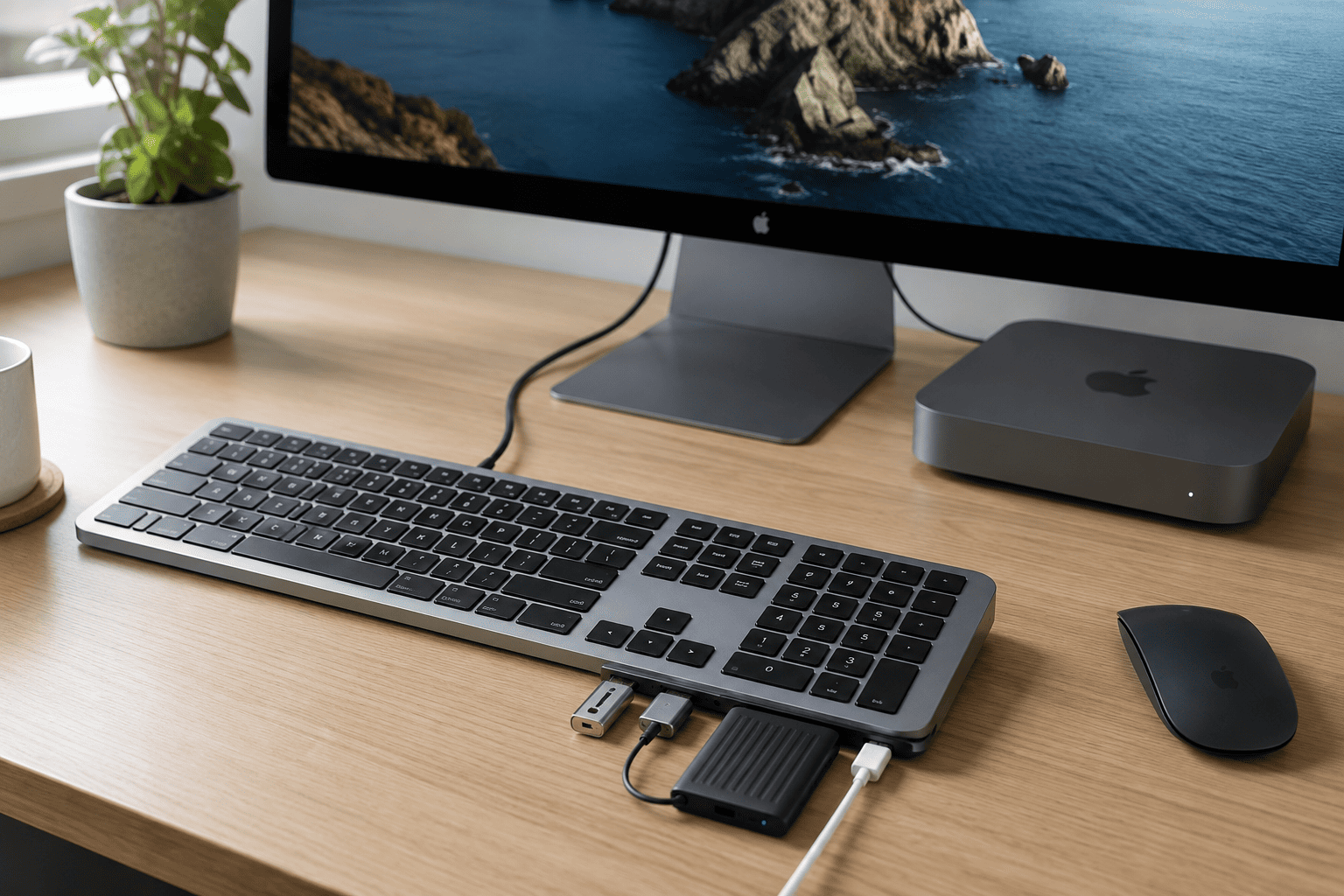
Not everyone wants Bluetooth, and honestly, there are good reasons to stick with a wired keyboard. If you like reliable connections and could use a few extra ports on your desk, the Macally Wired Keyboard with USB Hub is probably the most practical wired option in this roundup. At around $59.99, it offers more than just a comfortable place to type.
The biggest advantage is the built-in USB hub. With two USB-A ports and one USB-C port, you can plug in accessories like flash drives, external SSDs, your mouse, or even charge smaller devices without reaching behind your Mac. If you’re using an iMac or Mac mini, those extra ports become surprisingly useful after a few days.
Another feature I appreciate is the automatic operating system detection. Whether you’re connecting to a Mac, Windows PC, Android device, or even an iPad, the keyboard adjusts accordingly, making it much more versatile than many Mac-only keyboards.
Some highlights worth mentioning are:
- Built-in USB hub with multiple ports
- Stable wired connection with no wireless interference
- Backlit keys for low-light workspaces
- USB-C and USB-A compatibility
- Automatic OS detection for different devices
- Excellent choice for permanent desktop setups
Because it’s wired, you’ll never worry about charging batteries or dealing with Bluetooth hiccups. If your keyboard rarely leaves your desk and you like the idea of expanding your Mac’s connectivity at the same time, this Macally model is an easy recommendation.
Final Recommendation
After comparing these keyboards side by side, here’s how I’d narrow them down depending on what you need.
Choose the Logitech MX Keys S if:
- You type for several hours every day.
- You want the most comfortable overall experience.
- Backlit keys and multi-device support are important.
- You don’t mind paying more for premium quality.
Choose the TECKNET Wired Keyboard if:
- You’re shopping on a tight budget.
- You want dependable wired performance.
- You simply need a reliable everyday keyboard for your Mac.
Choose the OMOTON Wireless Keyboard if:
- You travel often.
- You work from coffee shops or shared spaces.
- You prefer a lightweight, compact keyboard.
Choose the Macally Wireless Bluetooth Keyboard if:
- You want a full-size layout.
- You regularly work with spreadsheets.
- You need to switch between multiple devices.
Choose the Macally Wired Keyboard with USB Hub if:
- Your Mac desktop needs extra USB ports.
- You prefer a wired connection.
- You want a permanent workstation setup with fewer adapters.
Each of these keyboards targets a different type of Mac user, which is exactly why they all earned a place on this list.
Conclusion
The good news is that you don’t have to spend a fortune to get a keyboard that feels great with your Mac. Even the budget-friendly models on this list offer reliable performance, comfortable typing, and layouts designed specifically for macOS. The best choice really comes down to how and where you work every day.
If I were buying one keyboard today, the Logitech MX Keys S would still be my top pick because it delivers the best overall typing experience, excellent build quality, and features you’ll actually use. But if you’re watching your budget, the TECKNET Wired Keyboard offers outstanding value for very little money. And if portability is your priority, the OMOTON Wireless Keyboard is an easy recommendation.
Whichever model you choose, you’re getting a keyboard that’s built to work well with your Mac instead of forcing you to adapt to a Windows-focused layout. That alone makes everyday typing smoother, faster, and a lot more enjoyable.