Google Gemini has moved well beyond being a chatbot you open when you need an answer. In 2026, Google is pushing Gemini deeper into Android, Google Home, Search, apps, and connected devices, with a bigger focus on letting AI understand context and actually help complete tasks.
Affiliate Disclaimer
This website participates in affiliate programs. We may earn a commission
when you purchase products through links on this page, at no additional
cost to you. Our recommendations are based on independent research and
honest opinions.
That shift matters because you may not always interact with Gemini through a traditional chat window. It can now be part of how you use your phone, control your home, communicate, research information, and interact with compatible devices. Google is also expanding Gemini across watches, cars, glasses, laptops, and other parts of the Android ecosystem.
Gemini in 2026 Is About More Than Chat
The biggest change is the move from simple question-and-answer interactions toward what Google calls a more agentic AI experience.
Instead of only telling you how to complete something, Gemini is increasingly being built to help carry out multi-step tasks. Google announced Gemini Intelligence for Android in May 2026, including capabilities for automating tasks across apps, summarising web content, and simplifying form filling. The rollout started with newer Samsung Galaxy and Google Pixel devices before expanding more broadly.
This changes the role Gemini can play in your daily routine.
You can think of the evolution like this:
- Earlier AI assistants: Answer a question or follow a simple command.
- Modern Gemini: Understand a more natural request and provide a detailed response.
- Agentic Gemini: Handle multiple steps and work across connected apps or services.
- Gemini across devices: Bring those capabilities into phones, homes, cars, watches, glasses, and other hardware.
The important part is that Google is trying to make Gemini feel less like a separate application and more like an intelligence layer across its ecosystem.
What Is New in Gemini in 2026?
Google has introduced several major Gemini updates throughout 2026, including new models, agentic features, improved voice experiences, and deeper connections with other Google products.
At Google I/O 2026, Google introduced Gemini 3.5 and Gemini Omni while also expanding agentic experiences across Search, the Gemini app, and other products.
Later updates continued that direction. Google’s July Gemini Drop introduced Gemini 3.6 Flash and Gemini 3.5 Flash Lite, expanded Gemini Spark globally, added more connected app support, and brought voice-based Gemini capabilities to macOS.
The biggest changes include:
- Faster and more capable Gemini models
- More natural voice conversations
- Multi-step task automation
- Deeper Android integration
- Gemini features across Google Home
- Better smart home control
- AI-powered camera and security features
- Connections with third-party apps
- Gemini experiences across more types of devices
This is why talking about “Gemini” in 2026 can be slightly confusing. It is no longer just one model or one app. It is becoming a collection of AI capabilities that appear in different Google products.
Gemini Is Becoming More Proactive
One of the most noticeable changes is that Gemini is becoming more proactive.
Google’s Gemini app now includes features such as Gemini Spark and Daily Brief, with the company describing the experience as providing more proactive, around-the-clock help. Gemini Spark is intended to carry out tasks even after you close your laptop, although availability varies by region.
That is an important distinction.
A traditional chatbot waits for you to type something. A more agentic assistant can take a broader goal and work through several steps to help you accomplish it.
For example, instead of asking for instructions on how to plan something, you may increasingly be able to give Gemini the goal and let it handle parts of the process.
Of course, you should still review what an AI assistant does, especially when the task involves purchases, messages, accounts, or other important information.
Gemini and Android Devices
Android is one of the most important places where Google’s Gemini strategy becomes visible.
Google announced Gemini Intelligence for Android as a way to bring AI deeper into the operating system. The company says these capabilities are designed to automate complex tasks, summarise content, and simplify everyday actions. The rollout is starting with select Samsung and Google devices and expanding to other Android form factors.
Android 17 also includes broader platform improvements alongside Google’s AI work, including new productivity and multitasking features.
What This Means for Your Phone
Your phone is becoming more than a place where you open the Gemini app.
Gemini can increasingly work alongside the things you already do on Android, which could mean less copying and pasting between applications and fewer individual steps for routine tasks.
Depending on your device and availability, you may use Gemini for:
- Understanding information on your screen
- Summarising content
- Writing or rewriting text
- Automating multi-step actions
- Searching for information
- Working with files
- Using voice conversations
- Connecting with other Google services
The exact experience depends on your phone, Android version, Google account, and feature availability, so not every Android device will receive every Gemini capability at the same time.
Gemini Is Moving Into the Smart Home
The smart home may be where Google’s Gemini strategy becomes especially interesting.
Google is replacing the older idea of a voice assistant that simply responds to commands with Gemini for Home, which is built around more natural conversations and more capable home control.
Google says Gemini for Home can help you control compatible lights, switches, climate devices, window coverings, TVs, speakers, washers, coffee makers, vacuums, and other connected devices through the Gemini mobile app.
That means you can move beyond rigid commands.
Instead of remembering the exact phrase a smart device expects, you can speak more naturally and let Gemini interpret what you mean.
Gemini for Home Can Handle More Natural Requests
This is where the technology starts feeling more useful in everyday life.
You can ask Gemini to control devices around your home, broadcast messages to specific rooms, or interact with compatible Google Home equipment. Google’s support documentation also explains that Gemini can work with devices added to your Google Home account later, provided they are compatible.
For example, you might ask it to:
- Turn on the living room lights
- Adjust connected climate devices
- Broadcast a message to another room
- Control compatible media devices
- Ask questions while managing your home
There are still limitations. Google specifically warns that Gemini home controls are for convenience and should not be relied upon for safety-critical actions.
What Does This Mean for Google Nest Speakers?
If you already have a Google Nest speaker, Gemini’s expansion into the smart home is particularly relevant.
Google introduced a new Google Home Speaker in 2026 that was built specifically for Gemini for Home. The speaker supports more natural, multi-step conversations and is intended to make smart home control feel more conversational.
But you do not necessarily need the newest speaker to benefit from Google’s Gemini for Home work.
Google has been expanding Gemini for Home to additional existing speakers and displays, including certain Nest Mini, Nest Audio, Nest Hub, and Nest Hub Max devices. Availability depends on language, country, device, and rollout status.
That makes an existing Google smart speaker potentially more interesting than it was a few years ago.
1
Google Nest Mini 2nd Gen

If you want a compact Google smart speaker that fits naturally into a Gemini-focused home setup, the Google Nest Mini 2nd Gen is an interesting option.
The listing identifies it as a Bluetooth speaker with English and multilingual compatibility. It is also part of the Google Nest family, which makes it relevant if you already use Google Home and compatible smart devices around your house.
Why It Still Makes Sense in a Gemini Home
The biggest reason to consider a Nest Mini is not simply the speaker itself. It is the connection to the broader Google Home ecosystem.
If you already have compatible lights, plugs, thermostats, cameras, TVs, or other connected devices, having a Google smart speaker gives you a convenient voice interface for controlling them.
Gemini for Home is now expanding the role of compatible Google speakers from basic command-driven assistants toward more natural conversations. Google says Gemini for Home can support follow-up questions and, with Google Home Premium, Gemini Live can provide more extended back-and-forth conversations.
The important caveat is availability. Gemini for Home features are rolling out gradually, and some capabilities require Google Home Premium. Google also notes that features vary by device and region.
So if you already own a Nest Mini, it is worth checking what Gemini for Home features are available for your particular device before buying something new.
Gemini and Smart Home Cameras
Cameras are another area where Google’s AI strategy is becoming more interesting.
Traditional security cameras mainly record video and send alerts when they detect movement. AI can make those alerts more useful by helping interpret what happened rather than simply telling you that something moved.
Google Home Premium now includes Gemini-powered features for smarter camera notifications and more useful home insights. Google’s documentation says advanced plans can also provide camera history search when compatible Nest cameras have the required event description feature enabled.
That means you can potentially spend less time scrolling through hours of footage and more time asking questions about what the camera actually observed.
2
Google Nest Cam Indoor 3rd Gen
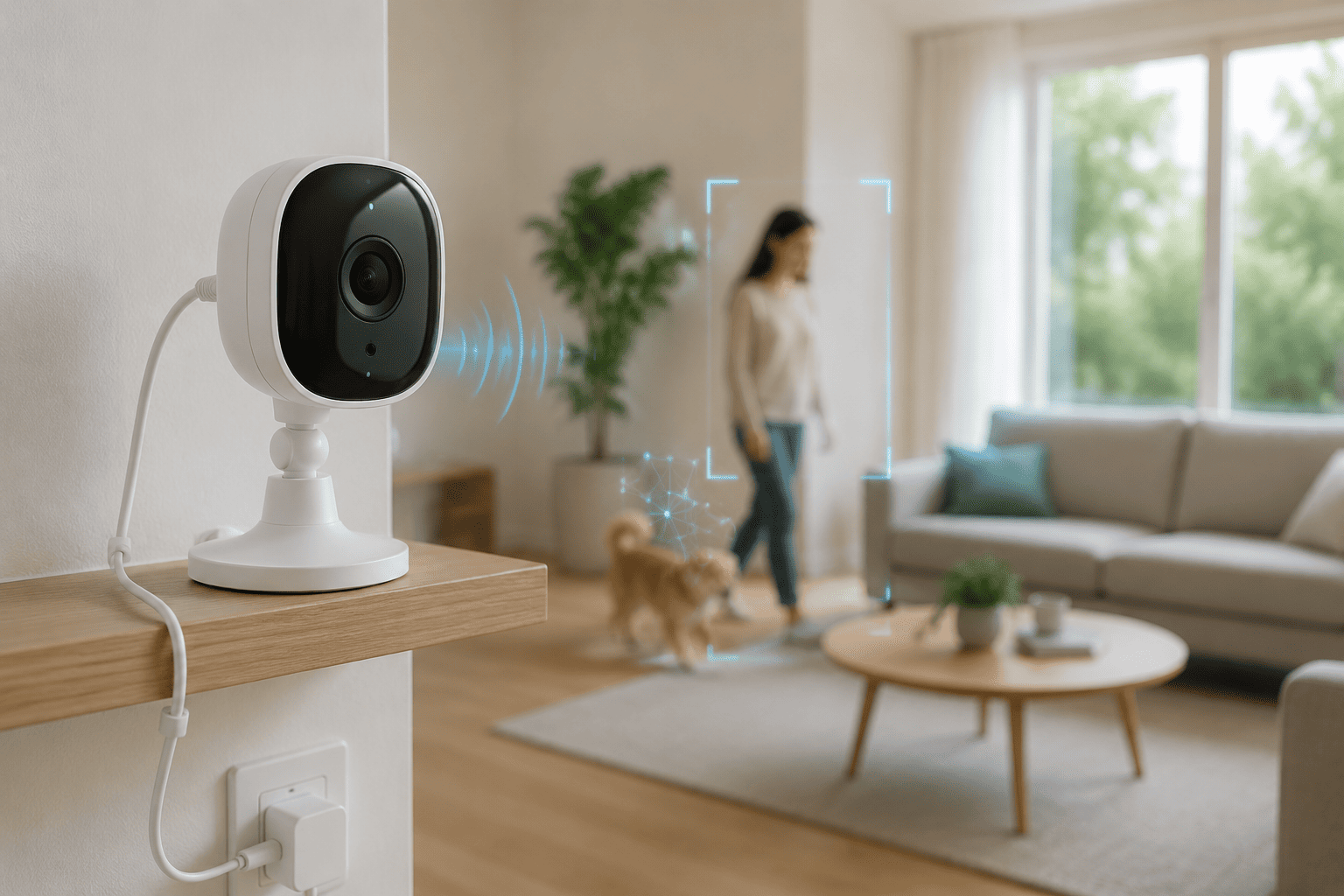
This is where the Google Nest Cam Indoor 3rd Gen becomes relevant.
The product listing describes a wired indoor security camera with 2K video, motion detection, colour night vision, two-way audio, Google Home compatibility, and Gemini support. At the provided price of $99, it sits in a very different category from a basic smart speaker.
Where Gemini Makes the Camera More Useful
The hardware gives you the camera, microphone, speaker, and video feed. Gemini can add a layer of interpretation around the information captured by the device.
Instead of simply receiving a motion alert, AI can help provide more meaningful descriptions and, with supported Google Home features, make it easier to understand camera events.
That can be useful when you want to know what happened while you were away rather than manually checking every notification.
The camera also has a strong rating in the supplied listing, with 4.6 stars from 953 ratings and more than 4,000 purchases in the past month. Those figures can give you some idea of current interest, although they should not replace checking the latest reviews and feature availability before purchasing.
How Gemini Could Change the Way You Use Your Devices
The more Gemini spreads across Google’s ecosystem, the less important the individual AI app becomes. The real change is happening when your phone, speaker, camera, and other connected devices can work with the same assistant and understand more of the context around your request.
That could make everyday interactions feel simpler. Instead of remembering which app controls which device, you may increasingly be able to describe what you want and let Gemini figure out the appropriate action.
From Commands to Conversations
This is probably the biggest practical difference to watch.
Older smart assistants often worked best when you knew the exact command. You had to say something like “turn on the bedroom light” or “set a timer for 10 minutes.”
Gemini is moving toward more natural conversations. You can provide more context, ask follow-up questions, and combine multiple requests without starting over every time.
That does not mean every device suddenly becomes intelligent on its own. Gemini is acting more like the layer connecting your request with the services and devices that can carry it out.
Gemini Beyond the Google Home
Google is also pushing Gemini beyond phones and speakers.
The company has been expanding Gemini across Android devices, cars, watches, TVs, and other form factors. Google says Gemini is replacing Google Assistant across more devices, with the transition continuing throughout 2026.
That broader availability matters because your daily routine rarely happens on one device.
You might start something on your phone, continue it through your car, ask your watch for information while walking, and interact with your home when you arrive. Having a common AI assistant across those environments could make those transitions feel more natural.
Your Devices Could Work More Like a Team
Imagine asking Gemini on your phone to help you prepare for a trip.
It could potentially help you organise information, answer questions, work with your apps, and then interact with compatible devices when you get home. The individual gadgets are still doing different jobs, but Gemini becomes the common interface between them.
That is a much bigger idea than simply making a smarter chatbot.
What About Privacy?
There is another side to all this convenience that deserves attention: privacy.
The more connected your devices become, the more information can potentially pass through your Google account and connected services. A smart speaker knows when you speak to it. A camera can observe activity in your home. Your phone can contain messages, files, location information, and personal conversations.
AI makes these devices more capable, but that also makes it more important to understand what information is being processed and where.
Google provides controls for Gemini activity, connected apps, and personalisation, but the exact controls and retention options can vary depending on the product and account settings.
Before You Connect Everything
A few simple habits can make a big difference:
- Check which apps and devices are connected to your Google account.
- Review Gemini activity and privacy settings regularly.
- Be careful about giving AI access to sensitive information.
- Check whether a feature requires cloud processing.
- Use physical camera or microphone controls where available.
- Review household members who have access to your Google Home setup.
You do not have to avoid AI to protect your privacy. You simply need to know what you are connecting and why.
Is Gemini Worth Using in 2026?
For basic questions, you probably do not need to rethink your entire digital life. Gemini can already answer questions, write content, summarise information, analyse files, and help with everyday tasks.
The more interesting reason to use it in 2026 is the growing connection between those capabilities and your devices.
If you already use Android, Google Home, Nest cameras, Google services, or other products in the ecosystem, Gemini becomes considerably more relevant. You can get more value because the AI is not operating in isolation.
If you mainly use products from different ecosystems, the benefits may be less noticeable. In that case, compatibility and privacy are worth considering before adding another connected device.
What to Consider Before Buying a Gemini Compatible Device
You do not need to replace every gadget in your home just because Google is adding Gemini features.
In fact, that would probably be a waste of money.
Instead, look at the devices you already use and ask whether Gemini actually improves something you care about.
Check Compatibility First
Google’s Gemini features are not available on every device in exactly the same way. Availability can depend on your country, language, device model, Google account, and subscription.
This is especially important with Google Home because some advanced Gemini features require Google Home Premium.
Think About the Hardware Too
AI cannot fix poor hardware.
A camera still needs good image quality. A speaker still needs to sound good. A phone still needs enough performance and battery life for your routine.
The AI should add useful capabilities rather than being the only reason you buy the device.
Consider Long-Term Support
AI features can change much faster than traditional hardware.
A device that looks impressive today may receive different capabilities later, while another product could gain useful features through software updates. That makes ongoing support especially important when choosing a connected gadget.
What Gemini Means for Your Everyday Tech
The most important change in Gemini during 2026 is not one individual feature. It is the direction Google is taking.
AI is becoming less isolated.
Instead of opening an AI app, asking one question, closing it, and returning to your normal workflow, Google wants Gemini to be available throughout that workflow. Your phone, home, camera, car, and other devices can become different ways of interacting with the same broader AI ecosystem.
That is why products such as the Google Nest Mini and Nest Cam Indoor 3rd Gen are relevant to this conversation. Their value is no longer only about being a speaker or camera. Their connection to Google Home and Gemini can give those devices additional capabilities as the software develops.
The Bottom Line
Google Gemini in 2026 is becoming much more than a chatbot. Google’s focus is shifting toward an AI assistant that can understand context, work across services, interact with devices, and handle more complicated tasks.
If you already live inside the Google ecosystem, this is where Gemini becomes particularly interesting. A compatible Nest speaker can give you a convenient voice interface for your home, while a Nest Cam can combine familiar security hardware with Google’s growing AI-powered camera features.
The Google Nest Mini 2nd Gen makes the most sense if you want a compact speaker for a Google Home setup and already have compatible smart devices. The Google Nest Cam Indoor 3rd Gen is the better fit if your priority is indoor security and you want AI-assisted camera features as part of the Google Home ecosystem.
You do not need to buy a new gadget simply because it says Gemini on the box. Choose the hardware based on what you actually need, then treat Gemini as an added capability that can become more useful over time.