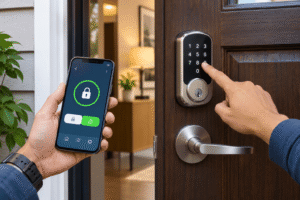
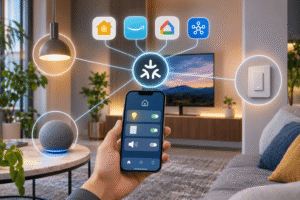
A smart bulb is usually the easiest way to add color, dimming, and voice control to one lamp. A smart switch is generally the better choice when you want an entire room’s existing lights to follow schedules and still work from a familiar wall control. Neither is automatically better, because they solve slightly different problems.
Affiliate Disclaimer
This website participates in affiliate programs. We may earn a commission
when you purchase products through links on this page, at no additional
cost to you. Our recommendations are based on independent research and
honest opinions.
The biggest decision is not Alexa versus Google Home. It’s whether you want to control the bulb itself or the electrical circuit feeding it. That distinction affects installation, everyday convenience, what happens when someone flips a wall switch, and how much a whole-room upgrade costs.
I’ll break down where each approach works, what to check before touching your wiring, and when two affordable smart switches, the Kasa HS200 and GHome four-pack, make sense. Both products reviewed here are switches, so I’ll also explain when you should skip them and choose smart bulbs instead.
Smart Bulbs and Smart Switches Control Different Parts of Your Lighting
A smart bulb contains its own electronics, wireless connection, and light source. You screw it into a compatible fixture, pair it with an app, and use that app or a voice assistant to change brightness, color, or schedules, depending on the bulb. For a bedside lamp, that is often all you need.
A smart switch replaces a conventional wall switch and controls power to the light fixture. Once installed, it can turn ordinary compatible bulbs on and off through an app, a schedule, or a voice command. You do not need to replace every bulb in a multi-light ceiling fixture just to automate the circuit.
- Smart bulb: Best when you want individual lamps, color scenes, or adjustable light temperature.
- Smart switch: Best when several regular bulbs share one wall switch, and you want simple whole-room control.
- Smart dimmer: A different product category that can dim compatible conventional bulbs; the two switches reviewed here are on/off models.
- Installation: Smart bulbs usually need no wiring changes, whereas smart switches require electrical compatibility and safe installation.
One catch is easy to miss: a smart bulb generally needs constant power to stay connected. If someone turns off the old wall switch, the bulb can lose its Wi-Fi or other wireless connection until power returns.
A Smart Bulb Makes More Sense for Color and Individual Control
Say you want warm white light for reading, soft blue lighting for movie night, and a dimmed bedside lamp before sleep. A suitable color-changing smart bulb can handle those scenes without changing the wiring. You can also give different lamps different colors, something a basic smart on/off switch cannot do.
Smart bulbs are especially convenient in rented homes, table lamps, and rooms with just one or two fixtures. You can often take them with you when you move, provided the new fixtures use compatible sockets and electrical ratings.
- Color and white-temperature choices: Available on supported models, useful for mood lighting and different activities.
- Individual bulb control: One lamp can stay on while another turns off, even if they are in the same room.
- Little installation effort: Most screw-in models install like regular bulbs and then pair through an app.
- A few ongoing limitations: Wall power must remain on for remote control, and connected features depend on the bulb and ecosystem.
The long-term cost can add up if a chandelier uses six or eight bulbs. And while many smart bulbs support schedules and voice commands, not every model offers the same range of features or local control when internet service is down.
A Smart Switch Is Usually More Practical for Whole-Room Lighting
Now imagine a kitchen with six recessed lights controlled by one wall switch. Replacing each bulb with a smart model could cost more than installing one compatible smart switch. The switch also preserves the familiar habit of tapping the wall as you enter the room.
For shared spaces, that physical control matters. Guests and family members do not need to know a voice command or open an app to turn on the lights. A properly installed switch can continue functioning manually even when smart-home services aren’t available.
- One circuit, one control: A single switch can automate several compatible lights on the same circuit.
- Normal wall operation: You can still switch the lights on or off by hand.
- Scheduled lighting: Useful for porch lights, hallways, and predictable bedtime routines.
- No new color features: An ordinary on/off switch does not give standard bulbs adjustable color or dimming.
- Electrical work involved: You will need the correct wiring, a compatible wall box, and a safe installation.
A smart switch is not automatically compatible with a smart bulb, either. Cutting power to a smart bulb removes its connection, so you lose many of the features you bought it for. If you want both a wall control and color-changing bulbs, look for purpose-built smart-bulb-compatible controls rather than pairing products indiscriminately.
Installation and Compatibility Are Where the Decision Gets Serious
Smart bulb installation is usually straightforward, but wall switches deserve more care. The Kasa HS200 and GHome models below are designed for 120V North American circuits, single-pole switching, and a neutral connection. Both use 2.4 GHz Wi-Fi, so a 5 GHz-only wireless network will not be sufficient for setup.
A neutral wire is not the same as the ground wire. Older switch boxes may not contain a usable neutral, and wire colors alone are not a dependable way to identify the conductors. Have a qualified electrician check the box if you aren’t confident about the circuit.
- Single-pole versus three-way: A single-pole switch controls the circuit from one location; a three-way arrangement allows control from two locations and needs compatible hardware.
- Neutral wire: These specific switches require one; do not buy them for a no-neutral box without an appropriate wiring solution.
- Voltage and load: Check the local electrical supply and the exact connected lighting load against the model rating.
- Dimming: Neither reviewed switch is a substitute for a compatible smart dimmer.
- Connectivity: 2.4 GHz Wi-Fi is required for their network features; a dedicated smart-home hub is not required by the product listings.
If you live outside a 120V electrical region, do not assume a US-market switch is suitable simply because its Wi-Fi works. Match your local voltage, wiring rules, certifications, and electrical box type before purchasing. For mains wiring, safety matters more than saving a few dollars on installation.
What Happens When Wi-Fi or the Internet Stops Working?
This is one area where a conventional-feeling smart switch can be reassuring. A standard wall switch can still operate the connected circuit even if app commands or remote access fail. You will not necessarily need your phone to turn on the bedroom light.
Smart bulbs normally retain physical power control too, but turning the upstream wall switch off can leave the bulb disconnected. If you restore the power, how the light behaves depends on its power-loss setting and firmware. Some bulbs return to their previous state, while others turn on automatically.
Local automation and cloud dependence vary by ecosystem, so do not assume every schedule or voice command works offline. Check whether the specific product or hub can keep automations running on your local network before making offline reliability your main buying reason.
Which Option Costs Less for One Lamp or an Entire Room?
The cost comparison changes depending on how many lights you want to automate. For a single reading lamp, buying one smart bulb can be simple and inexpensive, especially when installation would otherwise require a new switch. For a room with five or six normal bulbs on one circuit, a smart switch can avoid purchasing several connected bulbs.
The Kasa HS200 costs $15.99 in the supplied listing, but that is only the switch itself. If you need a professional electrician, the installation can cost much more than the hardware. By contrast, a smart bulb might take only a few minutes to install but costs more each time you add another controllable fixture.
- One lamp: A smart bulb often wins on convenience and avoids wiring work.
- Multiple bulbs on one circuit: One smart switch can be more economical than replacing every bulb.
- Different colors for every lamp: Smart bulbs are the practical choice because a standard on/off switch cannot provide individual color controls.
- A rental or temporary setup: Bulbs are usually easier to remove and reuse.
- Permanent whole-home upgrade: Smart switches can be more intuitive for everyone using the home, provided installation is compatible.
Electricity savings aren’t guaranteed by either device. Scheduling lights off can reduce wasted usage, but smart electronics also draw a small amount of standby power. Your actual energy savings depend on the bulbs, hours of operation, and how consistently the automation prevents unnecessary lighting.
Two Smart Switches Worth Considering for a Simple Upgrade
If you mainly want dependable wall control, schedules, and voice commands rather than changing light colors, a basic smart switch is a sensible place to start. The two options below both work with compatible Alexa and Google setups and preserve physical on/off control.
Their buying cases are different: the Kasa HS200 is a straightforward one-room starter switch, while GHome’s four-pack is aimed at several compatible circuits. Neither is a dimmer or a replacement for a three-way switch.
1
Kasa HS200 Review: Best for Your First Smart Light Switch

Kasa Smart Light Switch HS200 is a practical starting point if you want to make one room smarter without replacing its regular bulbs. At the listed price of $ 15.99, it is an approachable way to add app control and scheduling to a compatible single-pole lighting circuit.
You can press the switch normally, use the Kasa app to control the lights remotely, or connect supported Alexa and Google Assistant services for voice commands. Kasa also offers timers, scheduled operation, and an Away Mode that can vary lighting while you are out. Those functions are useful for a hallway, porch, or bedroom where you want automation without thinking about individual bulbs.
The HS200 uses 2.4 GHz Wi-Fi and doesn’t require a separate smart-home hub for its advertised features. TP-Link lists a neutral-wire requirement and a 100–120V AC electrical input. The listing also identifies it as a single-pole on/off switch, so it is not appropriate for a three-way circuit or for directly dimming lights.
- Single-pole switching: For a light controlled from one wall location.
- Neutral required: Needs compatible wiring in the electrical box.
- Voice and app control: Supports Kasa app, Alexa, and Google Assistant integrations.
- Schedules and Away Mode: Automates normal on/off operation.
- No hub required: Connects to a compatible 2.4 GHz Wi-Fi network.
The limitation is straightforward: this is not a color controller or a smart dimmer. It also will not fit every older home, since the neutral wire and physical wall-box space need to be verified before installation. If you rent or cannot change fixed wiring, I’d skip it and use a smart bulb instead.
For a compatible US-style electrical setup, though, I’d choose the HS200 when you are testing smart switches in one important room. Its ordinary wall operation and established app ecosystem make more sense than adding several smart bulbs if all you need is on/off automation.
2
GHome Smart Switch 4-Pack Review: Best for Several Rooms
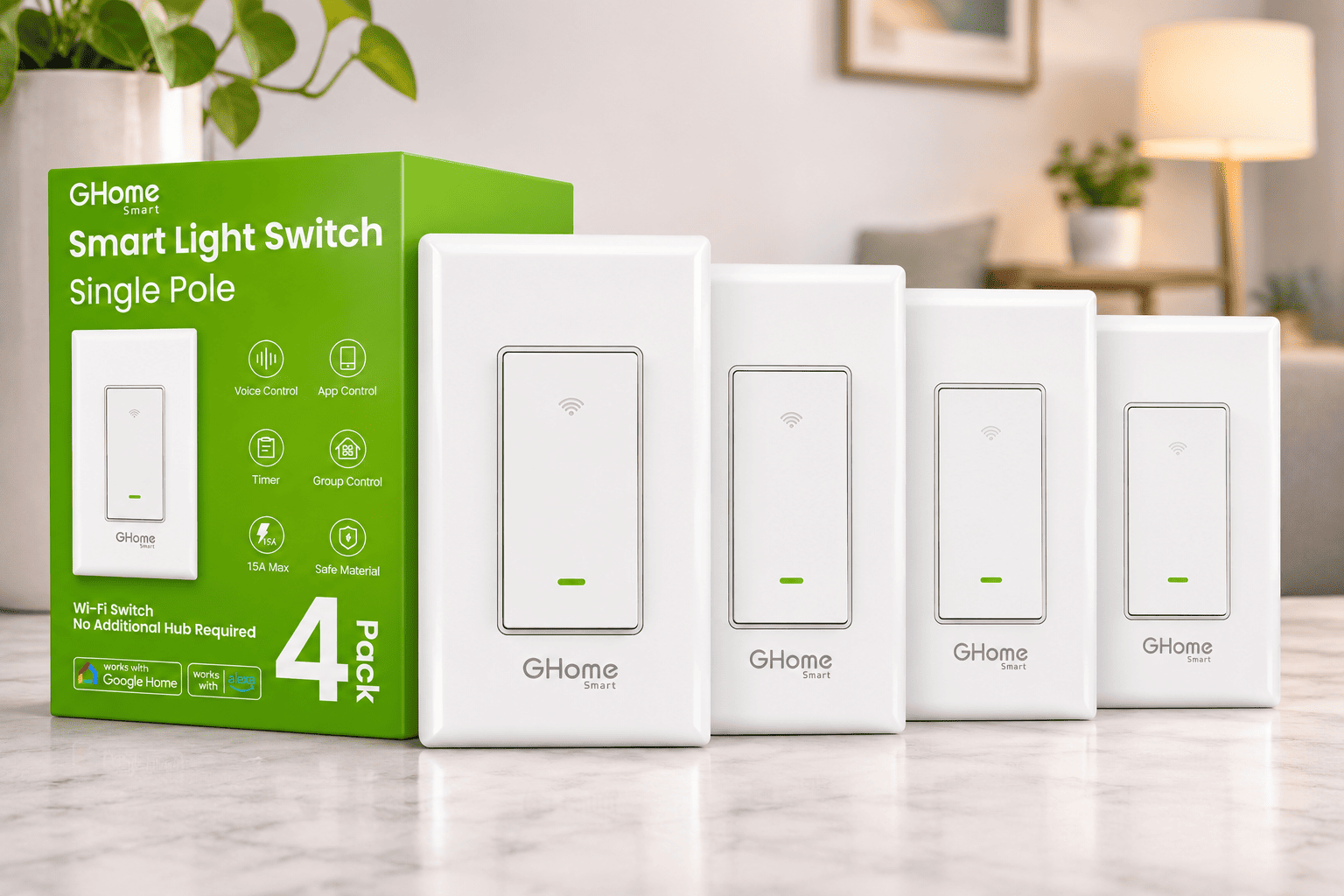
GHome Smart Switches 4-Pack makes more sense if you are ready to automate several separate rooms instead of experimenting with one switch. This package includes four on/off switches, giving you enough hardware for multiple compatible single-pole circuits.
Each switch supports manual wall control, app-based operation, scheduling, and voice commands through supported Alexa and Google integrations. A four-pack can be convenient if you already know the bedrooms, hallway, and other lighting circuits you want to automate, rather than placing separate orders for every room.
GHome specifies 120V/60Hz operation, a 15A maximum rating, a neutral-wire requirement, and 2.4 GHz Wi-Fi connectivity. The product listing advertises UL and FCC listings, but you’ll still want to verify the markings and electrical suitability of the exact units you receive before installation.
- Four switches included: Useful for multiple separately controlled rooms.
- Single-pole operation: Not intended to replace a three-way or dimming control.
- 2.4 GHz Wi-Fi: Supports app and compatible voice-assistant control without a dedicated hub.
- Timers and schedules: Automates everyday on/off routines.
- Neutral and 120V required: Installation needs compatible US-style wiring and adequate wall-box space.
A multi-switch installation adds complexity because every switch box must independently meet the electrical requirements. One room may have a neutral wire while another doesn’t. Check each circuit rather than assuming that the whole house has identical wiring.
The price of this four-pack wasn’t provided, so I wouldn’t claim that it is cheaper per switch than the Kasa HS200 without checking the current listing. I would consider GHome if four compatible circuits need upgrading at once and you are comfortable using its app ecosystem.
Kasa HS200 vs GHome 4-Pack: Which Should You Buy?
Both products accomplish the same core task: turning ordinary compatible lights on and off through a physical switch, app commands, or automation. The real difference is how many rooms you want to equip and which app you prefer to use every day.
- Start with one room: Kasa HS200 at the supplied $15.99 price is the straightforward trial purchase.
- Upgrade four rooms: GHome offers four switches in a single package; check its live pack price before deciding on value.
- Keep existing bulbs: Both products can control compatible ordinary bulbs without making each bulb smart.
- Add dimming or colors: Neither model is the right device; choose a suitable smart bulb or purpose-built dimmer.
- Handle complex wiring: Neither should be installed in incompatible three-way or no-neutral circuits.
I’d prioritize compatibility and installation quality over small differences in app features. A low-cost switch only becomes a good purchase when it is electrically appropriate for your home and easy for everyone to operate.
When Combining Smart Bulbs and Switches Actually Makes Sense
You can use smart bulbs and smart wall controls in the same home, but it helps to separate their jobs. Put color-changing bulbs in lamps and accent lighting where individual control is valuable. Use standard smart switches for ceiling lights where simple, reliable room-wide on/off control is enough.
If you specifically want one wall control to manage smart bulbs without cutting their power, choose a smart-bulb-compatible remote, scene controller, or supported smart-switch mode. A basic relay switch such as the two models reviewed here is not designed to maintain constant power while independently controlling a connected smart bulb’s features.
- Living room: Use a smart switch for general ceiling lights and smart bulbs for floor lamps or color accents.
- Bedroom: Consider a smart bulb for bedside color or dimming, with a conventional or compatible remote control.
- Hallway: A properly installed smart switch is often enough for timed on/off operation.
- Rental home: Choose removable smart bulbs if rewiring is not permitted.
Final Thoughts: Choose the Lighting Control You Will Actually Use
Smart bulbs are the better choice when you want easy installation, individual lamp control, adjustable white light, or color scenes. Smart switches make more sense when you want to automate a whole lighting circuit while keeping a familiar wall button for everyone in the house.
For one compatible room, I’d start with the Kasa HS200 if ordinary on/off scheduling is the goal. If you need to equip four separate, compatible single-pole circuits, GHome’s four-pack is worth considering after checking its current price and each switch box’s wiring. Neither should be chosen if your real goal is dimming, multicolor lighting, or a no-neutral installation.
You do not have to make every bulb smart to make your home lighting more convenient. Start with the room you use most, decide whether the control belongs in the bulb or on the wall, and buy the device that fits that job.