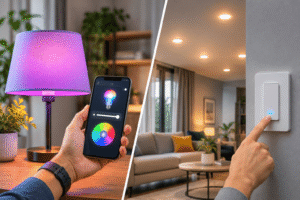
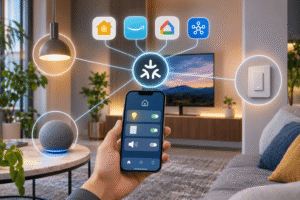
A smart lock replaces or adds electronic control to a traditional door lock, letting you unlock your door with a keypad, phone, fingerprint, or another supported method. A good one can make everyday access more convenient, but it isn’t automatically safer than a well-installed mechanical deadbolt. Security still depends on the lock’s hardware, your door, how you manage access codes, and whether the device connects to the internet.
Affiliate Disclaimer
This website participates in affiliate programs. We may earn a commission
when you purchase products through links on this page, at no additional
cost to you. Our recommendations are based on independent research and
honest opinions.
You also don’t need Wi-Fi to get useful electronic locking features. Some models operate entirely through a keypad and batteries, which avoids certain network-related risks but gives up remote control. I’ll explain those trade-offs, show what actually makes a smart lock secure, and look at the TEEHO TE001 in two finishes to help you decide whether keyless entry fits your home.
What Exactly Makes a Door Lock Smart?
A conventional deadbolt relies on a mechanical key and a physical cylinder. An electronic lock adds a keypad or motorized mechanism, while connected smart locks may also communicate with a phone, home hub, or cloud service. These are related products, but their capabilities vary considerably.
The most useful distinction is between electronic keyless locks and connected smart locks. A keypad-only model can save you from carrying keys without ever connecting to Wi-Fi. A connected model may send notifications, record access events, or let you unlock the door remotely, depending on its hardware and software.
- Keypad entry: You type a PIN instead of inserting a key, and some models still include mechanical backup keys.
- Automatic locking: A built-in motor can extend the deadbolt after a specified delay, if enabled.
- Guest access: Separate or one-time codes make it easier to allow temporary entry without copying a key.
- Connected controls: Selected models use Bluetooth, Wi-Fi, Thread, or a hub for phone access and automations.
- Access information: Certain connected models offer logs or alerts, though keypad-only locks generally do not.
Don’t assume every product labeled ‘smart’ includes every feature. In particular, the TEEHO TE001 discussed below has no app or Wi-Fi requirement, so remote unlocking and smartphone notifications aren’t part of its functionality.
Are Smart Locks Actually Safe Compared With Regular Deadbolts?
Yes, a properly chosen and installed electronic lock can be a reasonable way to secure a residential door. But ‘smart’ is a convenience description, not a security rating, and electronic features can’t compensate for a weak door frame or incorrectly fitted strike plate.
A lock faces two broad categories of risk. Physical attacks target the door, strike, latch, and cylinder. Digital or access-related risks involve exposed codes, poorly secured accounts, outdated software, or unauthorized remote commands on connected models. Keypad-only locks avoid internet-based attacks on the lock itself, but still need thoughtful PIN management.
The Security Features That Make a Real Difference
- Mechanical strength: Check the lock’s applicable ANSI/BHMA grade and whether your door and strike hardware are solid.
- Unique access codes: Assign different codes where supported, rather than sharing one household PIN with everyone.
- Wrong-code protection: A temporary lockout after repeated failed attempts slows casual code guessing.
- Backup access: Mechanical keys or documented emergency-power options matter if batteries fail.
- Account protection: For connected locks, strong passwords, multifactor authentication, and firmware updates are valuable.
ANSI Grade 3 is a recognized residential-grade performance classification, but it shouldn’t be interpreted as burglary-proof. A lock’s rating addresses defined hardware tests, not the strength of your entire entry door or every possible attack.
What Could Go Wrong With a Smart Lock?
The most practical problems are often less dramatic than hacking. Deadbolts can bind against misaligned doors, batteries can run low, and a guest code can remain active longer than intended. Those issues deserve attention even when a lock never goes online.
Connected models introduce additional questions about app permissions, cloud availability, software support, and account security. A keypad-only lock is simpler on that front, but you still need to change factory settings and keep backup keys somewhere accessible to authorized people.
- Guessable PINs: Avoid birthdays, street numbers, repeated digits, and other predictable combinations.
- Stolen or shared codes: Remove a temporary user’s PIN once access is no longer needed.
- Battery failure: Respond to low-battery warnings promptly instead of depending on the final days of charge.
- Poor alignment: Test the bolt with the door open, then closed, to ensure it moves freely.
- Unsecured backup keys: Treat physical keys as seriously as you would with an ordinary deadbolt.
One extra caution applies to automatic locking. The TE001 has no door-position sensor, according to its manual. When auto-lock is active, it may extend the bolt even if the door is standing open, so correct alignment and a sensible delay remain important.
Keypad-Only vs Wi-Fi Smart Locks: Which Is More Secure?
Neither design is universally safer. A keypad-only electronic deadbolt removes many online attack surfaces and keeps operating without internet access. That simplicity is appealing if all you want is PIN-based entry and timed locking.
Wi-Fi or hub-connected locks offer more options, especially if you need remote access or immediate notifications. In return, you’re trusting additional software, connected accounts, networking equipment, and potentially a cloud service. Those features can be worthwhile, but they should solve a real need.
- Choose keypad-only: If you want straightforward access without apps, subscriptions, or internet dependence.
- Consider connected access: If remote guest access or entry notifications are essential to your routine.
- Prioritize either design: When door fit, hardware quality, reliable backup access, and secure code practices are in place.
For a typical household, I’d start with the daily problem you’re trying to solve. Not having to carry keys is a different goal from unlocking the door for someone while you’re across town.
What to Check Before Installing a Keypad Deadbolt
A good lock can perform badly when its door hardware isn’t compatible. Before ordering, measure the existing bore hole, door thickness, and backset, then read the installation instructions for your exact model.
The TE001 calls for a standard 2-1/8-inch door hole, with supported backset and door-thickness dimensions specified in its installation guide. It isn’t intended for the smaller 38 mm hole mentioned in the listing. If the measurements don’t match, don’t assume the lock will fit just because it says ‘easy installation.’
- Door hole: Confirm the existing bore diameter rather than estimating from the outside trim.
- Backset: Check the distance from the door edge to the center of the bore hole.
- Door thickness: Verify that the included screws and mounting hardware suit your door.
- Deadbolt alignment: Make sure the strike opening lets the bolt extend without forcing the motor.
- Door configuration: Confirm the lock works with your door’s handing and intended entry arrangement.
If a lock installation requires drilling, modifying the door frame, or resolving uncertain hardware, a qualified locksmith can be worth the cost. The security of the finished installation matters more than how quickly you can attach the keypad.
Two TEEHO TE001 Finishes Worth Considering for Keyless Entry
If you want a simple electronic deadbolt without phone connectivity, the TEEHO TE001 is a useful example. Its keypad supports multiple user codes, a one-time guest code, timed auto-locking, and a physical backup key.
The two products below are the same TE001 model in different finishes. You’re choosing between appearance and the supplied listing prices, not between separate levels of electronic security.
1
TEEHO TE001 Matte Black Review: Best for Dark Door Hardware
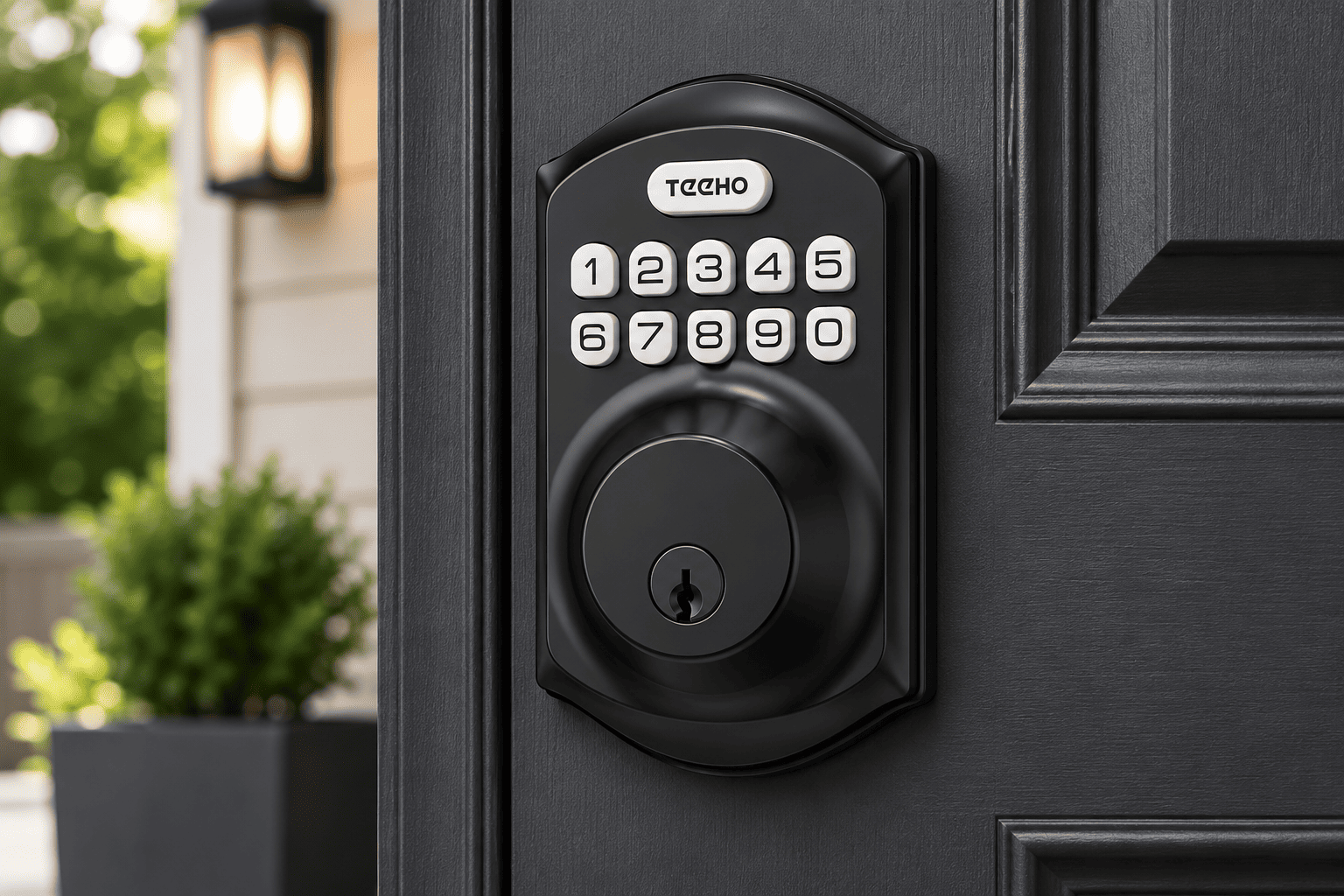
The TEEHO TE001 Keyless Entry Deadbolt in Matte Black is aimed at you if you want keypad access and a darker finish that matches black handles, hinges, or modern entry hardware. At the supplied price of $45.99, it delivers convenience features without requiring a Wi-Fi network or companion app.
You can create up to 20 user PINs for household members and a one-time code for someone who needs a single visit. The anti-peeping option lets you enter extra digits around a correct code, which may make shoulder-surfing less straightforward. These are useful everyday controls, although the code is still worth protecting.
Auto-lock is disabled by default, and you can set it to activate between 10 and 99 seconds after unlocking. You can also lock from outside by holding a keypad button for two seconds. Because there’s no built-in door-position sensor, test that the bolt and frame align properly before relying on timed locking.
- Up to 20 user codes: Give authorized household members their own PINs.
- One-time guest code: Useful for a short visit, after which the code becomes invalid.
- Anti-peep entry: Allows permitted extra digits around the actual PIN.
- Wrong-entry lockout: The manual specifies a three-minute shutdown after ten unsuccessful attempts.
- Four AA batteries: Battery life is advertised up to a year, with a low-power warning; actual use varies.
- Mechanical backup: Two keys provide another entry method if electronics are unavailable.
The main limitation is what this lock doesn’t do. You cannot check the door remotely, unlock it through your phone, or receive connected alerts. Its IP54 rating also describes resistance to limited dust ingress and splashing, not complete waterproofing.
I’d choose the matte black TE001 if the finish suits your door and you want basic keyless access at a manageable price. Just change the factory master code immediately and verify the door dimensions before installation.
2
TEEHO TE001 Satin Nickel Review: Best for a Lower-Cost Finish
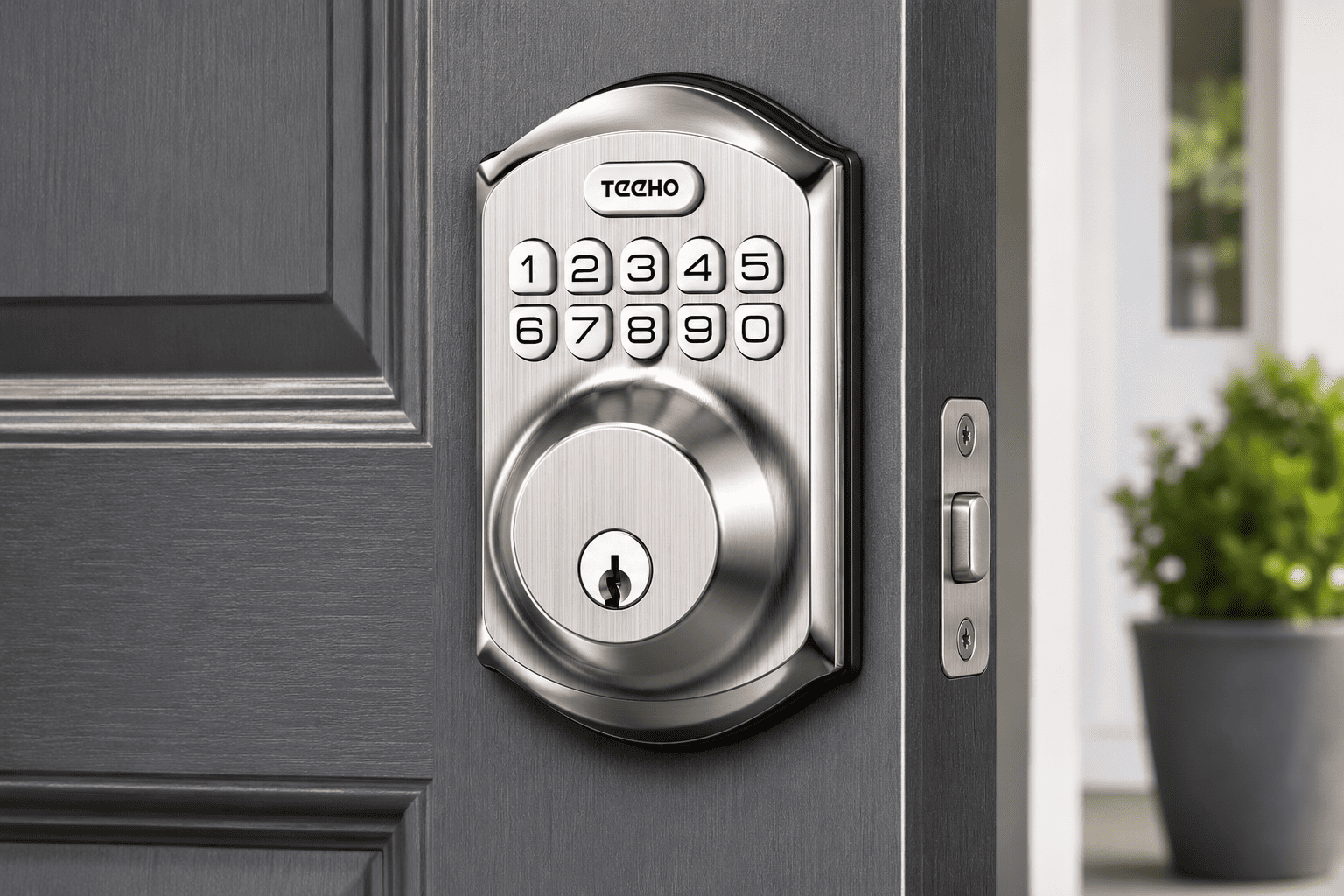
The TEEHO TE001 Keyless Entry Deadbolt in Satin Nickel has the same core features as the matte black version, but its brighter metallic finish may blend better with traditional silver door handles. At the supplied price of $35.99, it costs $10 less, making it the more economical option between these two listings.
You still get the 20-user code capacity, one-time code, optional timed auto-lock, anti-peeping code entry, low-battery warning, and two backup keys. None of these functions depend on a wireless connection, so the lock remains straightforward to operate during a home internet outage.
That simplicity can be appealing if you don’t want another app to manage. It also means you won’t receive live notifications when someone enters, and you cannot create or revoke codes from outside the home. PIN programming happens at the keypad following the manual’s instructions.
- Same keypad system: Supports separate household PINs and one-time guest access.
- Lower listed price: $35.99 compared with $45.99 for matte black.
- Satin nickel finish: Works visually with many conventional silver door fixtures.
- Optional auto-lock: Choose a suitable delay from 10 to 99 seconds.
- No app or hub: Avoids Wi-Fi setup and cloud-account maintenance.
- Backup keys and alerts: Offers mechanical entry and advanced low-battery indication.
The satin nickel model also has the same mechanical compatibility considerations. Check your existing bore and backset rather than assuming it will fit any front door. The product’s residential security grading doesn’t guarantee the rest of your entryway can resist forced entry.
At these prices, I’d pick satin nickel if you don’t specifically prefer black hardware. You’ll get essentially the same keypad-locking functionality for less money, with no reason to expect a different level of security from the color alone.
Matte Black vs Satin Nickel: Which TE001 Should You Buy?
This is a simpler decision than comparing two unrelated smart locks. Both listings refer to the TE001, so the functional differences that matter most have already been settled by the model itself.
- Choose matte black: If you want the darker appearance and are comfortable with the $45.99 listed price.
- Choose satin nickel: If its finish suits your door and you prefer the lower $35.99 listed price.
- Expect the same access features: Both provide keypad codes, one-time access, auto-lock options, and backup keys.
- Expect the same limitations: Neither provides Wi-Fi, app access, or remote alerts.
Don’t treat a finish change as a security upgrade. Spend the savings on proper installation or a stronger strike-plate setup if your existing door hardware needs attention.
Set Up Your Smart Lock Safely From the First Day
A few setup choices can make more difference than buying a more complicated lock. The TE001 manual lists 12345678 as its factory master code and specifically tells you to replace it before programming. Leaving that code unchanged would undermine the security benefits of electronic access.
- Change the master code: Choose a private PIN that doesn’t match easy-to-guess personal information.
- Reset and calibrate properly: Follow the model’s hand-detection procedure with the door open.
- Add only necessary user codes: Give access to people who currently need it.
- Test the bolt: Confirm the mechanism extends and retracts smoothly with the door both open and closed.
- Decide on auto-lock: Enable it only after understanding how the timer operates without a door sensor.
- Store backup keys securely: Keep an authorized way to enter if the batteries become depleted.
- Review guest access: Remove codes that aren’t needed and use single-use codes where appropriate.
If you hear the motor strain or see the bolt catch, fix the alignment before continuing to use automatic locking. A well-fitted door is part of the lock’s reliability, not a separate detail.
Do You Really Need a Smart Lock for Your Front Door?
A smart lock is worthwhile when it makes access easier without introducing problems you aren’t prepared to manage. If several people come and go, separate keypad codes can be more convenient than distributing physical keys. Automatic locking can also help when you occasionally forget to turn a deadbolt, provided the door closes reliably.
However, there’s no requirement to replace a quality mechanical deadbolt just because electronic models are popular. If you prefer keys, rarely share access, and already have dependable hardware, your current lock may be completely adequate.
For remote monitoring and off-site control, look beyond a basic keypad model toward a reputable connected lock with well-supported software and secure authentication. For straightforward keyless entry, a non-connected keypad lock can be the more sensible choice.
Final Thoughts: Convenience Is Worthwhile When Security Comes First
Smart locks can be safe and practical, but the important protections aren’t all electronic. Good door hardware, correct installation, sensible codes, backup access, and regular maintenance matter more than a long feature list. A keypad lock can be useful without any internet connection, which also simplifies its security responsibilities.
Between the two products here, I’d choose the TEEHO TE001 Satin Nickel at the supplied $35.99 price if its finish suits your door. The Matte Black version at $45.99 makes sense if you prefer dark hardware, but it offers the same underlying locking functions.
Neither TE001 is a connected remote-access lock, and that’s worth understanding before you buy. If all you want is convenient PIN entry without carrying keys, either finish can fit the job. If you need phone alerts or remote unlocking, choose a different model designed for those features, and make sure the physical door is secure first.