PC gaming has never offered more choices than it does today. You can build an affordable gaming system, buy a powerful prebuilt desktop, or invest in a high-end setup capable of playing the latest games at ultra settings. At the same time, modern consoles continue to deliver excellent performance for a much lower upfront cost.
Affiliate Disclaimer
This website participates in affiliate programs. We may earn a commission
when you purchase products through links on this page, at no additional
cost to you. Our recommendations are based on independent research and
honest opinions.
That leaves many people asking the same question: Is PC gaming actually worth the money in 2026?
The answer depends on what you expect from your gaming experience. In this guide, we’ll break down the real costs of PC gaming, compare them with consoles, and help you decide whether building or buying a gaming PC makes sense for you.
What Does a Gaming PC Actually Cost?
The cost of a gaming PC varies widely depending on the performance you’re looking for.
An entry-level system capable of handling popular esports titles and lighter games can often be found for around $600 to $900. If you want to play modern AAA games at higher settings with smoother frame rates, you’ll typically spend between $1,000 and $1,500. Enthusiast systems built for 4K gaming, ray tracing, and very high refresh rates can easily cost $1,800 or more.
Remember that these prices usually cover only the computer itself.
The Hidden Costs of PC Gaming
Many first-time buyers focus only on the price of the PC, but there are several additional expenses that are easy to overlook.
Depending on your setup, you may also need:
- A gaming monitor
- A keyboard and mouse
- A gaming headset
- A desk and comfortable chair
- External storage
- Surge protection
- Cable management accessories
- An optional controller for certain games
These extras can add a few hundred dollars to your total budget, especially if you’re building a completely new gaming space.
Where PC Gaming Saves Money
Although the initial investment is higher than buying a console, PC gaming can become more economical over time.
One of the biggest advantages is that most online multiplayer games don’t require a paid subscription just to play online. Over several years, that alone can save a significant amount of money.
Game pricing is another advantage. Digital stores regularly run seasonal sales where many popular titles receive substantial discounts. Between Steam, Epic Games Store, GOG, and Humble Bundle, it’s often possible to build an impressive game library without paying full price.
Another long-term benefit is upgrade flexibility. Instead of replacing the entire system every few years, you can upgrade individual components like the graphics card, memory, or storage whenever your needs change.
Performance Advantages
Performance is one of the biggest reasons people choose PC gaming over consoles.
With the right hardware, you can enjoy:
- Higher frame rates
- Better graphics settings
- Ultrawide monitor support
- Keyboard and mouse controls
- Multi-monitor gaming
- Community-created game mods
A gaming PC also doubles as a powerful workstation for tasks like video editing, programming, streaming, graphic design, and everyday productivity, making it useful long after you’ve finished gaming for the day.
When a Console Makes More Sense
Despite its advantages, PC gaming isn’t automatically the best choice for everyone.
A console may be a better option if you:
- Want the lowest upfront cost
- Prefer a simple plug-and-play experience
- Mostly play console-exclusive games
- Don’t need a computer for work or creative tasks
For many casual players, today’s consoles offer excellent performance for the price.
Is Building a PC Cheaper?
Building your own gaming PC can reduce costs while giving you complete control over every component you choose.
However, it also requires time and a willingness to learn about compatibility, assembly, cable management, and operating system installation. If you’re new to PC hardware, a quality prebuilt system may be worth the extra cost for its convenience and warranty support.
Don’t Forget About Your Gaming Space
Buying a gaming PC is only part of the investment. As your setup grows, you’ll likely accumulate controllers, headsets, charging cables, external drives, streaming accessories, and other equipment.
Without some organization, even a powerful gaming setup can quickly become cluttered and difficult to manage.
Small Accessories Can Improve the Experience
While they won’t increase your frame rate or graphics quality, a few inexpensive desk accessories can make your gaming space much more enjoyable to use every day.
Cable management solutions help eliminate tangled wires, while desk organizers keep your most frequently used accessories within easy reach. Together, these small upgrades can make your gaming station look cleaner, feel more organized, and become a more comfortable place to spend time.
Practical Accessories Can Improve Any PC Gaming Setup
Once you’ve invested in a gaming PC, it’s worth paying attention to the space around it as well. A clean, organized desk makes gaming sessions more enjoyable and helps you get the most out of your equipment.
Simple accessories won’t increase your FPS, but they can reduce clutter, improve accessibility, and make your setup easier to maintain. If you’re looking for affordable upgrades that make a noticeable difference every day, these two products are worth considering.
1
KDD 7 in 1 Clamp On Desk Pegboard: Best Gaming Desk Organizer
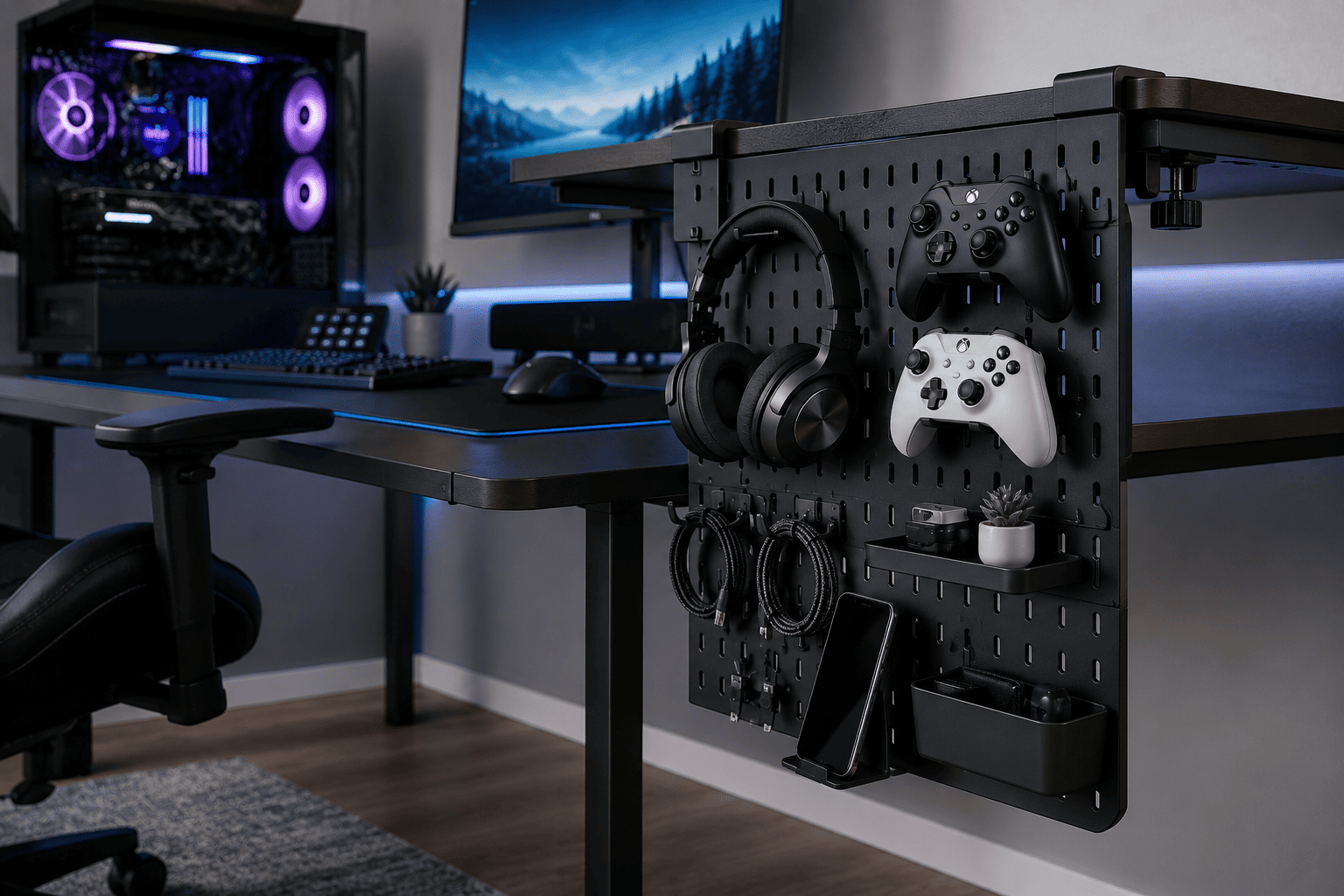
If your gaming desk is covered with controllers, headphones, charging cables, and other accessories, the KDD 7 in 1 Clamp On Desk Pegboard is an easy way to organize everything without drilling holes or permanently modifying your desk. At around $28, it’s an affordable upgrade that helps maximize your workspace.
The clamp-on design installs securely on the side of most desks, giving you additional storage without taking up valuable desktop space. The modular layout includes a phone stand, pen holder, storage box, headset holder, controller holder, and multiple hooks, allowing you to customize the arrangement to suit your setup.
Because everything stays within easy reach, your desk feels cleaner and more organized, making it easier to focus on gaming instead of searching for accessories.
The KDD Desk Pegboard is an excellent choice if you:
- Have limited desk space
- Want to organize gaming accessories
- Use multiple controllers and headsets
- Prefer a no-drill installation
- Like a clean, minimalist gaming setup
For gamers who enjoy keeping their battle station neat, it’s one of the simplest upgrades you can make.
2
N NOROCME 192 Piece Cable Management Kit: Best Budget Cable Management Solution
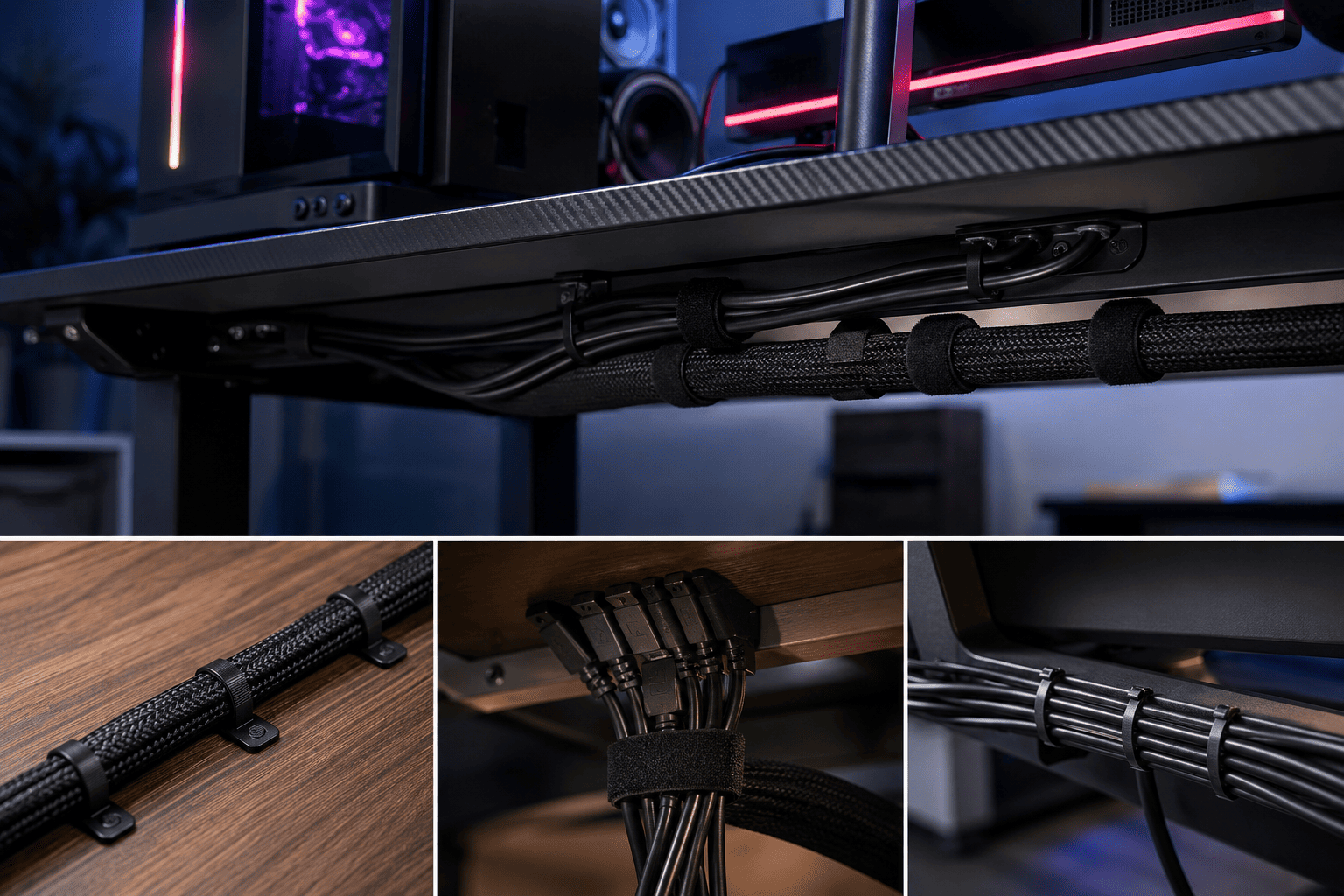
One of the quickest ways to improve the appearance of any gaming setup is by organizing the cables. The N NOROCME 192 Piece Cable Management Kit provides almost everything you need to tame messy wires for around $16, making it an excellent value.
Instead of buying cable clips, sleeves, straps, and ties separately, this kit includes a wide variety of accessories designed for organizing computer desks, entertainment centers, and home offices.
Inside the package, you’ll find cable sleeves, adhesive cable holders, reusable hook-and-loop straps, cable clips, and plenty of fastening ties to manage everything from monitor cables to power cords.
Whether you’re building a new gaming station or cleaning up an existing one, having the right cable management tools makes the process much easier.
This kit is ideal if you:
- Want a cleaner gaming desk
- Have multiple monitors or accessories
- Need better cable routing
- Want an inexpensive desk upgrade
- Enjoy organized workspaces
For such a low price, it’s one of the easiest ways to make an entire gaming setup look more professional.
Buying Guide: Where Should You Spend Your Money?
Building a gaming PC can become expensive, so it’s important to prioritize purchases that provide real value.
Invest in Performance First
Your processor, graphics card, memory, and storage have the biggest impact on gaming performance. These should always come before cosmetic upgrades.
Upgrade Accessories Gradually
You don’t need to buy everything at once. Add better monitors, keyboards, storage solutions, and desk accessories over time as your budget allows.
Keep Your Workspace Organized
A clutter-free desk is easier to maintain and creates a more enjoyable gaming experience. Good organization also protects your equipment from accidental damage.
Think Long Term
Reusable accessories like cable management kits and desk organizers continue adding value long after you’ve purchased them. They’re inexpensive upgrades that improve your setup every day.
Final Thoughts
PC gaming is definitely worth it in 2026 for people who value flexibility, higher performance, upgradeability, and using one computer for both gaming and everyday work. Although the upfront investment is higher than buying a console, lower game prices, free online multiplayer, and upgrade options can help offset those costs over time.
Of course, building a great gaming experience isn’t just about the PC itself. A clean, organized workspace makes every gaming session more enjoyable.
If you want a better way to store your gaming accessories without sacrificing desk space, the KDD 7 in 1 Clamp On Desk Pegboard is an affordable and practical addition to almost any setup.
If tangled cables are making your battle station look messy, the N NOROCME 192 Piece Cable Management Kit offers one of the simplest and most cost-effective ways to organize your entire workspace.
Combined with the right gaming PC, these small upgrades help create a setup that’s cleaner, easier to use, and more enjoyable for years to come.