A great gaming setup isn’t just about having the latest graphics card or the fastest processor. The way you organize your desk, position your equipment, and personalize your space can have a big impact on both comfort and performance.
Affiliate Disclaimer
This website participates in affiliate programs. We may earn a commission
when you purchase products through links on this page, at no additional
cost to you. Our recommendations are based on independent research and
honest opinions.
Whether you’re playing competitive shooters, enjoying story-driven adventures, or streaming your gameplay, a well-planned gaming station can make long sessions more enjoyable. The best part is that many improvements don’t require spending thousands of dollars.
In this guide, I’ll share five practical gaming setup ideas that can help you build a cleaner, more comfortable, and better-looking battle station.
Why Your Gaming Setup Matters
Your gaming desk is where you spend hours playing, chatting with friends, working, or watching content.
A well-organized setup can help you:
- Reduce cable clutter
- Improve posture
- Create more desk space
- Make accessories easier to reach
- Keep equipment cooler
- Build a space you actually enjoy using
Even small upgrades can make your setup feel completely different.
Idea 1: Keep Your Desk Clean and Clutter-Free
One of the easiest ways to improve any gaming setup is simply reducing clutter.
Too many loose cables, accessories, and random items can make even expensive equipment look messy.
Start by:
- Removing unused devices
- Organizing cables
- Keeping only frequently used accessories on your desk
- Storing chargers and adapters in drawers
A clean workspace not only looks better but also makes gaming more comfortable.
Idea 2: Improve Your Monitor Position
Many gamers place their monitor either too high or too low.
Ideally:
- The top of the screen should be close to eye level.
- Sit about an arm’s length away from the display.
- Angle the monitor slightly upward if needed.
- Avoid strong reflections from nearby windows.
Proper monitor placement reduces neck strain during long gaming sessions.
Idea 3: Add Better Lighting
Lighting can completely change the atmosphere of a gaming room.
You don’t need expensive RGB systems to make your setup look more inviting.
Consider:
- LED light strips behind the desk
- Monitor backlighting
- Desk lamps with adjustable brightness
- Soft ambient lighting instead of harsh ceiling lights
Balanced lighting also reduces eye strain when gaming in darker rooms.
Idea 4: Improve Cable Management
Nothing makes a gaming setup look unfinished faster than tangled cables.
Use:
- Cable sleeves
- Velcro straps
- Cable clips
- Under-desk cable trays
Keeping wires organized makes cleaning easier and creates a much cleaner overall appearance.
Idea 5: Make Frequently Used Accessories Easy to Reach
Gaming accessories often end up scattered across the desk.
Headsets, controllers, charging cables, and handheld devices all take up valuable space if they don’t have a dedicated home.
Creating designated storage areas helps:
- Protect your equipment
- Reduce clutter
- Keep your desk organized
- Make accessories easier to find
Small organizational upgrades often have a bigger impact than people expect.
Don’t Forget About Maintenance
A great gaming setup isn’t only about appearance. Keeping your equipment clean is just as important.
Dust gradually builds up inside keyboards, PCs, monitors, and cooling vents. Over time, this can reduce cooling performance and even shorten the lifespan of your hardware.
Taking a few minutes every week to clean your gaming station helps everything look better and perform more reliably.
Small Accessories Can Make a Big Difference
Once you’ve organized your desk and improved the layout, a few well-chosen accessories can make your setup feel even more complete.
Simple additions like a headset stand help keep your desk tidy, while proper cleaning tools make routine maintenance much easier. These aren’t flashy upgrades, but they’re the kind of improvements you’ll appreciate every day.
Accessories That Complete Your Gaming Setup
Once you’ve organized your desk, improved your lighting, and cleaned up your cables, a few well-chosen accessories can make your gaming station even more enjoyable to use.
Some upgrades aren’t about increasing frame rates. Instead, they improve convenience, organization, and the overall look of your setup. Others help keep your equipment clean, which can improve cooling performance and extend the life of your hardware.
Here are two practical accessories worth considering.
1
KDD RGB Headset Stand: Best Desk Organization Upgrade
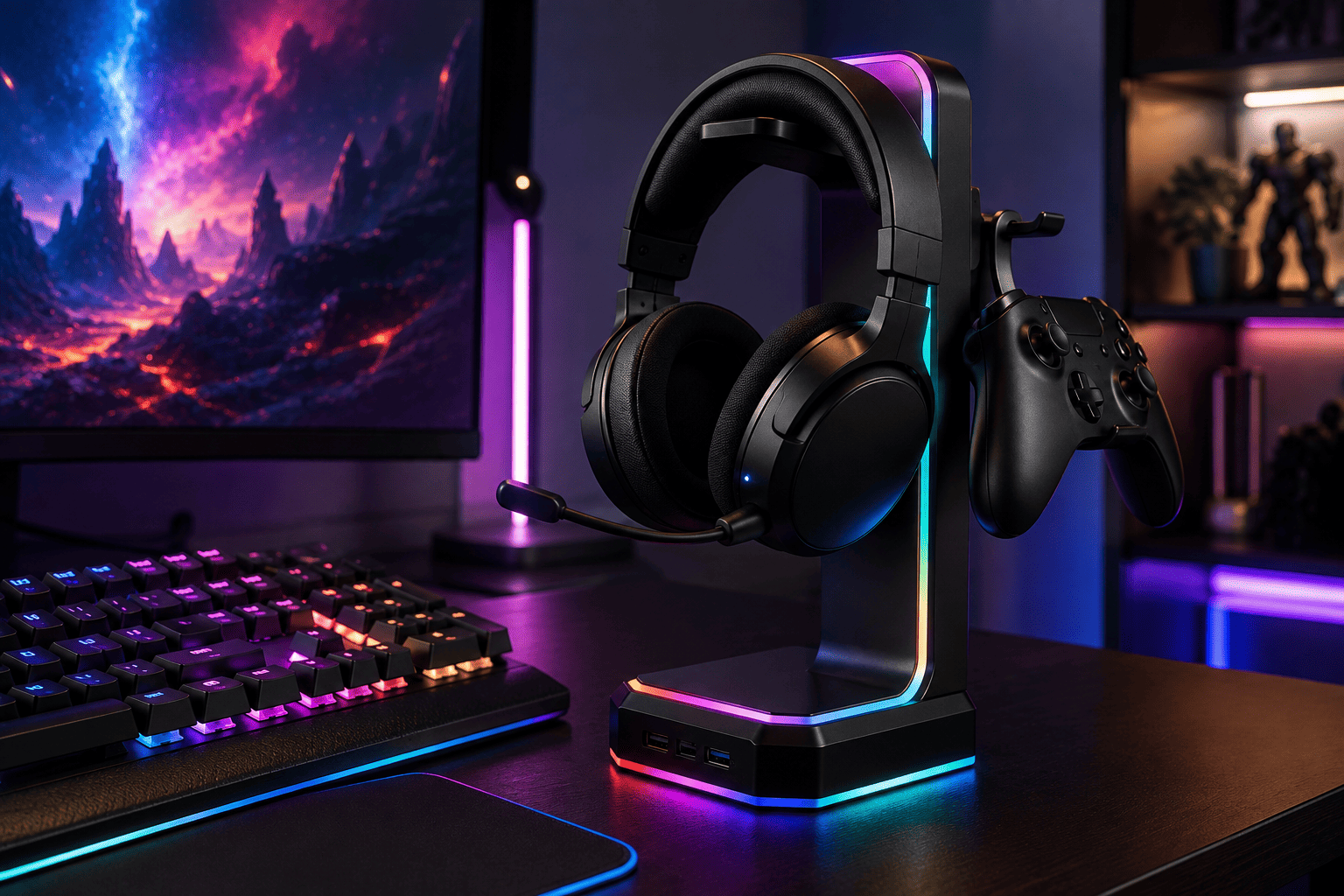
If your headset usually ends up sitting on your keyboard or taking up valuable desk space, the KDD RGB Headset Stand is an inexpensive way to keep your gaming area organized. At around $22, it combines storage with customizable lighting to enhance your battle station.
The stand features nine RGB lighting modes, allowing you to match the look of your setup without overwhelming the desk. Whether you prefer subtle lighting or colorful effects, it’s easy to switch between different modes.
Beyond holding your headset, it also includes a rotatable headphone holder and a detachable controller hook, giving you a convenient place to store controllers, headphones, or other accessories when they’re not in use.
The compact design helps free up desk space while keeping frequently used gear within easy reach.
The KDD RGB Headset Stand is a great choice if you:
- Want a cleaner gaming desk
- Use both a headset and controller
- Like customizable RGB lighting
- Need better accessory organization
- Want an affordable desk upgrade
For a small investment, it adds both style and practicality to almost any gaming setup.
2
WOLFBOX MegaFlow 50 Electric Air Duster: Best Cleaning Accessory

A clean gaming setup doesn’t just look better. It also helps your equipment perform more reliably. The WOLFBOX MegaFlow 50 Electric Air Duster makes regular maintenance much easier than relying on disposable compressed air cans. At around $32, it’s a useful long-term addition to any gaming desk.
The MegaFlow 50 uses a powerful 110,000 RPM motor with three adjustable speed settings, allowing you to remove dust from keyboards, desktop PCs, laptops, cooling fans, monitors, and other electronics.
Despite its strong airflow, the unit is lightweight at only 0.45 pounds, making it comfortable to use during longer cleaning sessions. It also includes four interchangeable nozzles, giving you better access to tight spaces inside keyboards, computer cases, and desk accessories.
Because it’s rechargeable, you won’t need to keep buying disposable air cans, making it a more convenient option for routine cleaning.
The WOLFBOX MegaFlow 50 is ideal if you:
- Regularly clean your gaming PC
- Want to remove dust from keyboards and fans
- Prefer a reusable cleaning tool
- Need strong airflow with adjustable power
- Maintain multiple gaming devices
Keeping your equipment clean can improve airflow, reduce heat buildup, and help your setup stay looking its best.
Buying Guide: Choosing Gaming Setup Accessories
The best gaming accessories aren’t always the most expensive ones. Focus on upgrades that improve comfort, organization, and long-term usability.
Organization
Look for accessories that reduce desk clutter and keep frequently used items within easy reach.
Build Quality
Well-built accessories tend to last longer, especially if they’re used every day.
Desk Space
Compact accessories help maximize available workspace without making your setup feel crowded.
Maintenance
Dust is one of the biggest enemies of gaming hardware. Having dedicated cleaning tools makes routine maintenance much easier.
Style
Choose accessories that complement the overall look of your setup, whether you prefer a minimalist workspace or a colorful RGB-themed battle station.
Final Thoughts
Building an impressive gaming setup isn’t just about buying expensive hardware. Small improvements to organization, lighting, cleanliness, and ergonomics often make a bigger difference in your day-to-day experience.
A tidy desk helps you stay focused, while regular cleaning keeps your equipment performing at its best.
If you’re looking to organize your accessories and add a bit of personality to your desk, the KDD RGB Headset Stand is an affordable upgrade that combines storage with customizable lighting.
If you want to keep your gaming PC, keyboard, and other equipment free from dust, the WOLFBOX MegaFlow 50 Electric Air Duster is a practical tool that makes regular maintenance quick and easy.
Combined with good cable management, proper lighting, and an organized workspace, these simple upgrades can help transform your gaming station into a cleaner, more comfortable place to play for years to come.