Mounting a TV on the wall is one of the easiest ways to give any room a cleaner, more modern look. It frees up floor space, creates a better viewing experience, and helps keep cables out of the way. Whether you’re setting up a home theater, upgrading your living room, or mounting a TV in a bedroom, doing the job correctly is essential for both safety and comfort.
Affiliate Disclaimer
This website participates in affiliate programs. We may earn a commission
when you purchase products through links on this page, at no additional
cost to you. Our recommendations are based on independent research and
honest opinions.
The good news is that wall mounting a TV isn’t as difficult as many people think. With the right tools, a little planning, and a quality wall mount, most people can complete the installation in under an hour. This guide walks you through the entire process, from choosing the right location to safely securing your TV, while helping you avoid the common mistakes that can lead to damaged walls or an unstable installation.
Why Mount Your TV Instead of Using a Stand?
A wall-mounted TV offers more than just a clean appearance. It can improve the way you watch television while making better use of your available space.
One of the biggest advantages is freeing up furniture. Without a TV stand taking up room, you have more flexibility for speakers, decorations, gaming consoles, or simply creating a less cluttered living area.
Wall mounting also allows you to position the screen at a more comfortable viewing height. Instead of looking down at a television sitting on a cabinet, you can place it closer to eye level, reducing neck strain during long movie nights or gaming sessions.
Safety is another benefit, especially for households with children or pets. A properly mounted TV is much less likely to be tipped over compared to one sitting on a stand.
Many people also appreciate the cleaner look. Combined with cable management, a wall-mounted TV gives almost any room a more organized appearance.
Before You Start: What You’ll Need
Most TV installations don’t require professional tools, but having the right equipment makes the process much easier.
Before you begin, gather the following:
- A compatible TV wall mount
- A stud finder
- A power drill
- Drill bits suitable for your wall type
- A level
- Measuring tape
- Pencil for marking holes
- Socket wrench or screwdriver
- The mounting hardware included with your TV mount
If you’re mounting a larger television, ask someone to help lift it into place. Modern TVs are thinner than ever, but larger models can still be awkward to handle safely.
Step 1: Choose the Right Location
The first decision isn’t which wall mount to buy. It’s deciding where your TV should go.
Think about where you’ll usually be sitting. Ideally, the center of the screen should be close to eye level when you’re in your normal viewing position. Mounting the TV too high is one of the most common mistakes people make, especially above fireplaces.
Also pay attention to windows and lighting. Strong sunlight reflecting off the screen can make watching TV frustrating during the day.
Finally, check that a nearby power outlet is available. Running extension cords behind walls is generally not recommended, so planning your installation around existing outlets makes the finished setup both safer and cleaner.
Step 2: Find the Wall Studs
For drywall installations, wall studs provide the strongest support for your TV.
Use a stud finder to locate the wooden studs behind the drywall, then mark their positions with a pencil. Most homes have studs spaced either 16 or 24 inches apart, although this can vary.
Avoid mounting a heavy television directly into drywall without proper support. Drywall anchors alone are rarely strong enough to safely support the combined weight of a TV and wall mount.
If your wall is made from concrete or brick, you’ll need masonry anchors designed specifically for those materials.
Step 3: Measure and Mark the Mounting Holes
Once you’ve found the studs, hold the wall mount against the wall and use a level to make sure it’s perfectly straight.
Take your time during this step. Even a slight tilt becomes very noticeable once the TV is installed.
Mark each drilling location carefully before removing the mount. Double-check your measurements to ensure the television will sit exactly where you want it.
Step 4: Drill the Pilot Holes
Pilot holes help guide the mounting screws while reducing the chance of splitting the wood studs.
Choose a drill bit that matches the size recommended in your wall mount’s installation instructions.
Drill each pilot hole straight into the center of the stud. If you feel the drill suddenly lose resistance, stop and verify that you’ve actually drilled into solid wood rather than empty drywall.
Step 5: Secure the Wall Plate
Now it’s time to attach the wall plate.
Line it up with the pilot holes and tighten the mounting bolts securely using the recommended tools. Check with a level once again before fully tightening everything.
The wall plate should feel completely solid with no movement or wobbling.
If anything feels loose, don’t continue with the installation until you’ve identified the problem.
Step 6: Attach the Mounting Brackets to the TV
Most wall mounts include two vertical brackets that attach directly to the back of your television.
Use the screws supplied with either your TV or the wall mount, depending on the manufacturer’s instructions. Avoid overtightening, as excessive force can damage the threaded inserts inside the television.
Before lifting the TV, confirm that both brackets are securely attached and properly aligned.
Step 7: Hang the TV
This step is much easier with two people.
Carefully lift the television and hook the mounting brackets onto the wall plate according to the mount’s instructions.
Most modern wall mounts include locking tabs or safety screws that prevent the TV from accidentally lifting off the bracket. Make sure these are fully engaged before letting go of the television.
Once mounted, gently test for stability without applying excessive force.
Common TV Mounting Mistakes to Avoid
Even straightforward installations can go wrong if you’re rushing.
One common mistake is choosing a wall mount that isn’t rated for your TV’s size or weight. Always verify both before purchasing.
Another is ignoring the VESA mounting pattern on the back of your television. Your wall mount must support your TV’s VESA dimensions to fit correctly.
People also tend to mount TVs too high. While it may look impressive, an overly high screen often becomes uncomfortable during longer viewing sessions.
Finally, don’t forget about future cable access. Leave enough room to connect HDMI cables, power cords, gaming consoles, streaming devices, and sound systems without having to remove the TV later.
Choosing the Right TV Wall Mount
A successful installation depends just as much on the wall mount as it does on proper installation. Even if you’ve followed every step correctly, a poorly designed bracket can limit your viewing angles or make future adjustments difficult.
For most households, a full motion TV wall mount offers the greatest flexibility. Unlike fixed mounts, full motion models allow you to tilt, swivel, and extend the television away from the wall. This makes it easier to reduce glare, improve viewing angles, or access the back of the TV when connecting new devices.
If you frequently watch TV from different seating positions or have an open living space, the extra flexibility is well worth considering.
Recommended TV Wall Mounts
A TV wall mount isn’t something you want to replace after a few months. Once it’s installed, it becomes the foundation that supports one of the most expensive electronics in your home. That’s why it’s worth choosing a mount that’s sturdy, easy to install, and flexible enough to fit your viewing needs.
Here are two excellent full motion TV wall mounts that work well for most 32- to 70-inch televisions.
1
USX MOUNT Full Motion TV Wall Mount

If you’re looking for a reliable wall mount without spending a lot, the USX MOUNT Full Motion TV Wall Mount is a solid choice for most living rooms and bedrooms.
Designed for TVs between 32 and 70 inches and supporting up to 99 pounds, this mount fits a wide range of popular television models. The dual articulating arms provide excellent stability while allowing you to extend the TV away from the wall, swivel it toward different seating areas, or tilt it to reduce glare from windows and overhead lights.
The mount supports VESA patterns up to 400 x 400 mm and is compatible with both 12-inch and 16-inch wood studs, making it suitable for many home installations. That added flexibility can simplify installation if your wall layout doesn’t perfectly match your preferred TV location.
At around $29.74, it delivers excellent value for homeowners who want the flexibility of a full-motion mount without stretching their budget. Once installed, adjusting the viewing angle feels smooth while the sturdy steel construction helps keep larger TVs securely supported.
If you want an affordable mount that combines strength, flexibility, and straightforward installation, this one is an easy recommendation.
2
Mounting Dream Full Motion TV Wall Mount
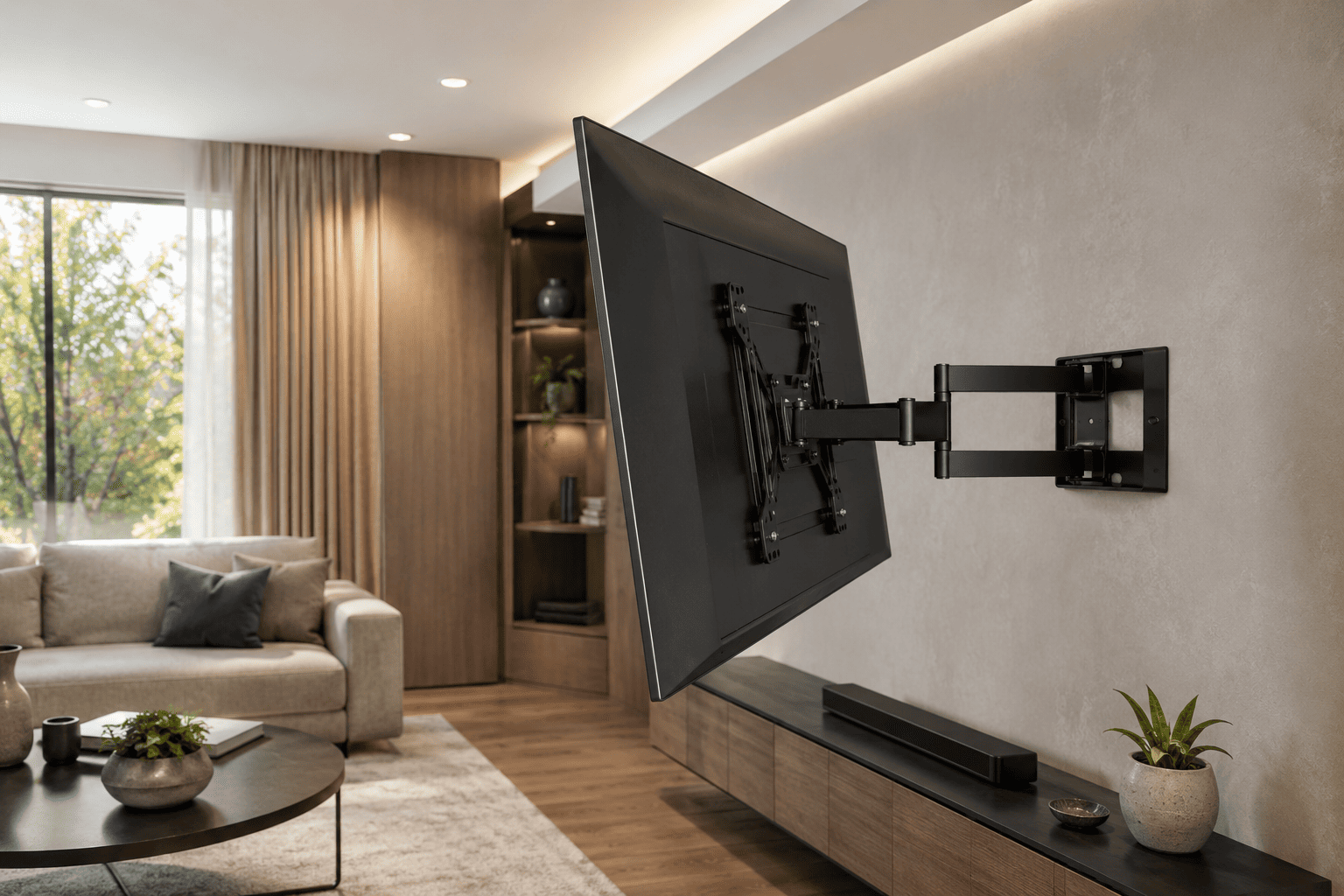
If installation simplicity is your highest priority, the Mounting Dream Full Motion TV Wall Mount MD2380 is one of the most popular options available.
Like the USX model, it’s built for 32- to 70-inch TVs weighing up to 99 pounds, and it supports VESA mounting patterns up to 400 x 400 mm. Its dual articulating arms allow you to tilt, swivel, and extend the television so you can achieve the ideal viewing angle from almost anywhere in the room.
What really stands out is its reputation for easy installation. With tens of thousands of positive customer reviews and recognition for its installation experience, it’s an excellent choice for first-time DIY installers who want clear instructions and dependable hardware.
The mount is designed for 16-inch wood stud spacing, making it compatible with many residential walls. Once installed, it provides smooth movement while holding the television securely in place.
Priced at around $34.99, it costs only a little more than many budget options but offers proven reliability and excellent build quality. If you value a well-documented installation process and long-term durability, it’s a strong investment.
What to Look for in a TV Wall Mount
Choosing the right wall mount is just as important as installing it correctly.
Start by checking your TV’s screen size, weight, and VESA mounting pattern. Every wall mount lists the sizes and weights it supports, and matching those specifications ensures a safe installation.
Think about how you’ll watch TV. A fixed mount works well if you’ll always be sitting directly in front of the screen. If you want to reduce glare, watch from different seating positions, or occasionally access the back of the TV, a full motion mount offers much greater flexibility.
It’s also worth checking your wall construction. Some mounts support both 12-inch and 16-inch studs, while others are designed only for 16-inch spacing. Confirming compatibility before buying can save time during installation.
Finally, pay attention to build quality. A heavy-duty steel mount with strong locking mechanisms provides greater confidence, especially when supporting larger televisions.
Final Thoughts
Mounting your TV on the wall is one of the simplest upgrades you can make to improve both the appearance and functionality of any room. With careful planning, the right tools, and proper installation, you can create a cleaner setup, enjoy better viewing angles, and free up valuable floor space.
The most important decision after choosing the installation location is selecting a dependable wall mount. If you’re looking for an affordable, versatile option that works with both 12-inch and 16-inch wood studs, the USX MOUNT Full Motion TV Wall Mount offers excellent value. If you prefer a mount that’s especially well regarded for its installation process and long-term reliability, the Mounting Dream Full Motion TV Wall Mount MD2380 is another outstanding choice.
Take your time during installation, double-check your measurements, and always secure the mount to solid wall studs whenever possible. Once everything is in place, you’ll have a safer, cleaner, and more enjoyable TV setup that should serve you well for years to come.