A video doorbell is one of the easiest ways to improve your home’s security. Whether you’re checking who’s at the front door, receiving package delivery alerts, or talking to visitors while you’re away, a smart doorbell gives you added convenience and peace of mind.
Affiliate Disclaimer
This website participates in affiliate programs. We may earn a commission
when you purchase products through links on this page, at no additional
cost to you. Our recommendations are based on independent research and
honest opinions.
The good news is that setting up a Ring Doorbell camera is much simpler than many people expect. Most installations take less than an hour, even if you’ve never installed a smart home device before. In this guide, I’ll walk you through the entire process step by step, along with a few common mistakes to avoid.
Before You Begin
Before opening the box, make sure you have everything you’ll need.
Most Ring Doorbell models include:
- The doorbell unit
- Mounting bracket
- Screws and wall anchors
- Charging cable (for battery models)
- Screwdriver
- Setup instructions
You’ll also need:
- A smartphone or tablet
- A stable 2.4 GHz or compatible Wi Fi network
- The Ring app installed
- Your Wi Fi password
If you’re installing a wired model, you may also need access to your existing doorbell wiring.
Step 1: Charge the Battery
If you’re installing a battery-powered Ring Doorbell, fully charge the battery before mounting the device.
Charging typically takes several hours depending on the model.
Starting with a full battery helps avoid interruptions during setup and allows you to complete software updates immediately after installation.
If you’re installing a wired model with a removable battery, it’s still a good idea to begin with a full charge.
Step 2: Download the Ring App
The Ring app is where you’ll manage nearly every aspect of your doorbell.
After installing the app:
- Create a Ring account or sign in.
- Select Set Up a Device.
- Choose Doorbells.
- Follow the on-screen instructions.
The app guides you through each step, making the process straightforward even for first-time users.
Step 3: Connect the Doorbell to Wi Fi
During setup, the Ring app will ask you to connect the doorbell to your home network.
For the most reliable performance:
- Use a strong Wi Fi signal.
- Avoid placing the router too far from the front door.
- Double-check your Wi Fi password before continuing.
A stable connection improves:
- Live video
- Motion alerts
- Two-way communication
- Firmware updates
If your Wi Fi signal is weak near the entrance, you may eventually want to consider a mesh Wi Fi system or Wi Fi extender.
Step 4: Choose the Best Mounting Location
Placement has a major impact on both video quality and motion detection.
Ring generally recommends mounting the doorbell around 48 inches (1.2 meters) above the ground.
This height usually provides a good view of:
- Visitors
- Package deliveries
- Walkways
- Front steps
Avoid pointing the camera directly toward bright sunlight whenever possible, as excessive glare can reduce image quality during certain times of day.
Step 5: Mount the Doorbell
Once you’ve confirmed that the camera works correctly, it’s time to install it permanently.
Depending on your wall material, you may need to drill pilot holes before inserting wall anchors.
Secure the mounting bracket first, then attach the doorbell according to the manufacturer’s instructions.
Before tightening everything completely, verify that the camera angle provides a clear view of your entryway.
Step 6: Test the Live View
Before considering the installation finished, spend a few minutes testing every major feature.
Check:
- Live video
- Motion detection
- Two-way audio
- Doorbell notifications
- Night vision
Walk toward your front door from different directions to confirm that motion alerts trigger consistently.
Step 7: Adjust Motion Detection Settings
The default motion settings work well for many homes, but they’re not perfect for every location.
Inside the Ring app, you can customize:
- Motion sensitivity
- Detection zones
- Notification preferences
- Motion schedules
Making a few small adjustments helps reduce unnecessary alerts caused by passing cars, sidewalks, or nearby trees.
Common Ring Doorbell Setup Problems
Even though installation is generally simple, a few issues come up more often than others.
Weak Wi Fi Signal
A poor connection can cause delayed notifications, slow live video, or failed firmware updates.
Incorrect Mounting Height
Installing the camera too high often reduces its ability to detect people approaching the door.
Overly Sensitive Motion Detection
If your phone is constantly receiving alerts, adjusting your motion zones usually solves the problem.
Battery Drains Quickly
Frequent motion events, cold weather, and heavy Live View usage can all reduce battery life faster than expected.
Do You Need a Ring Subscription?
One question many new owners ask is whether a Ring Protect subscription is required.
The answer depends on how you plan to use your doorbell.
Without a subscription, you can still receive notifications, answer the door remotely, and view live video.
However, features like cloud video recording, video history, and sharing recorded clips generally require a subscription plan.
If you only need live monitoring, you may find that the free features are sufficient.
Ring Alternatives Worth Considering
Ring is one of the most recognizable names in smart home security, but it’s far from the only option available. Depending on your needs, another brand may actually offer better value.
Some homeowners want to avoid monthly subscription fees, while others prioritize wider viewing angles, built-in AI detection, or longer battery life. Fortunately, many newer video doorbells include these features at a lower price than comparable Ring models.
If you’re shopping for a reliable battery-powered video doorbell without spending a fortune, these two BOIFUN models are worth considering.
1
BOIFUN Video Doorbell Camera (166° Wide View): Best Overall Value
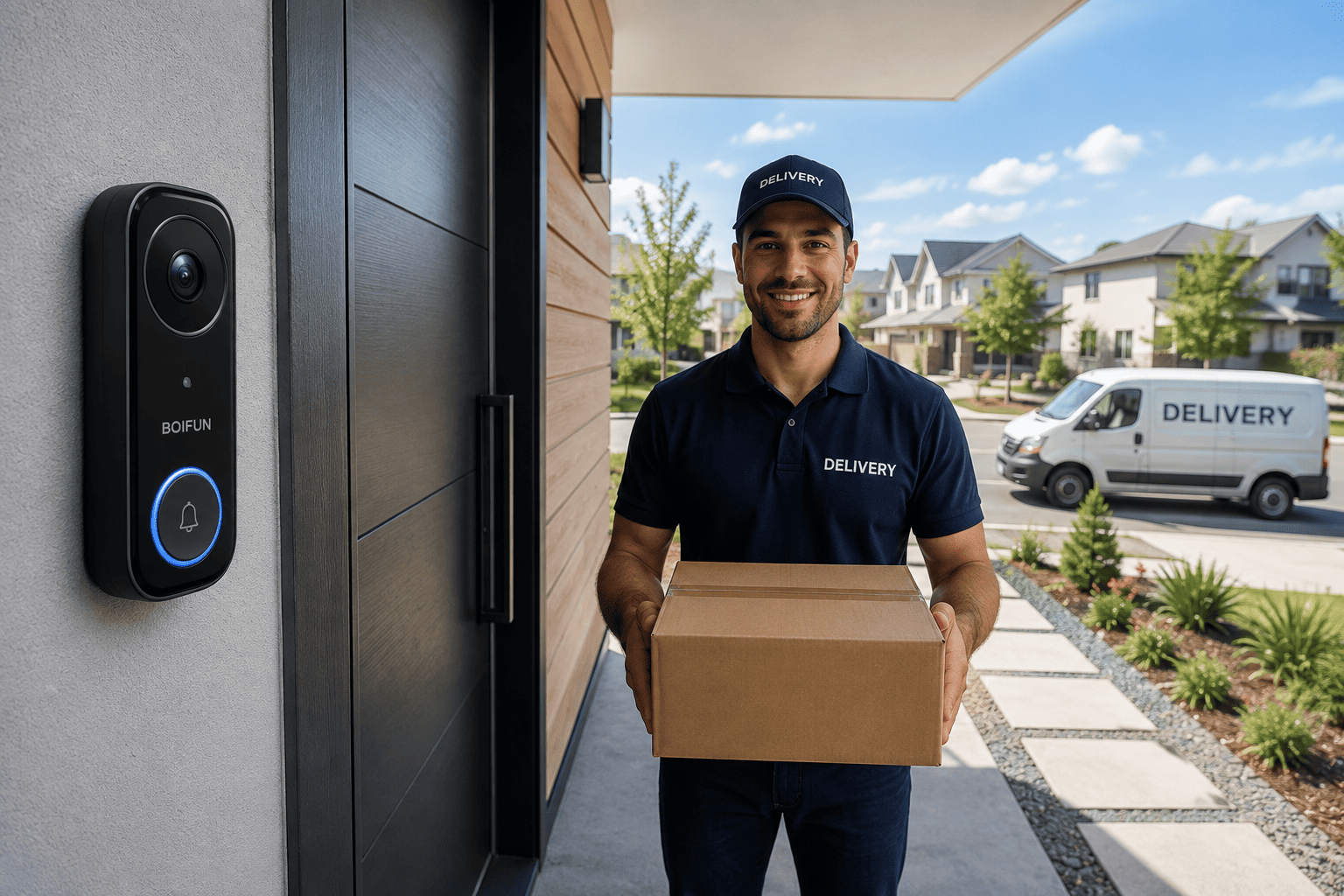
If you’re looking for a feature-packed video doorbell without paying ongoing subscription fees, the BOIFUN Video Doorbell Camera Wireless is an excellent value at around $45.
The camera records in 2K resolution, providing noticeably sharper video than many entry-level doorbells. Whether you’re checking visitors or monitoring package deliveries, the additional detail makes it easier to identify faces and objects.
Its 166-degree wide viewing angle captures a large portion of your front porch, helping reduce blind spots. Combined with HDR night vision, the camera maintains good image quality during both bright daylight and nighttime conditions.
The built-in motion detection sends alerts directly to your smartphone, while two-way audio allows you to speak with visitors remotely from almost anywhere.
One of its biggest advantages is that no monthly subscription is required for basic functionality, making it appealing for homeowners who want predictable long-term costs.
The BOIFUN 166° model is a great choice if you:
- Want affordable home security
- Prefer subscription-free monitoring
- Need clear 2K video
- Receive frequent package deliveries
- Want an easy battery-powered installation
For many homeowners, it delivers an excellent balance of features and value.
2
BOIFUN 180° Head to Toe Video Doorbell: Best for Maximum Coverage
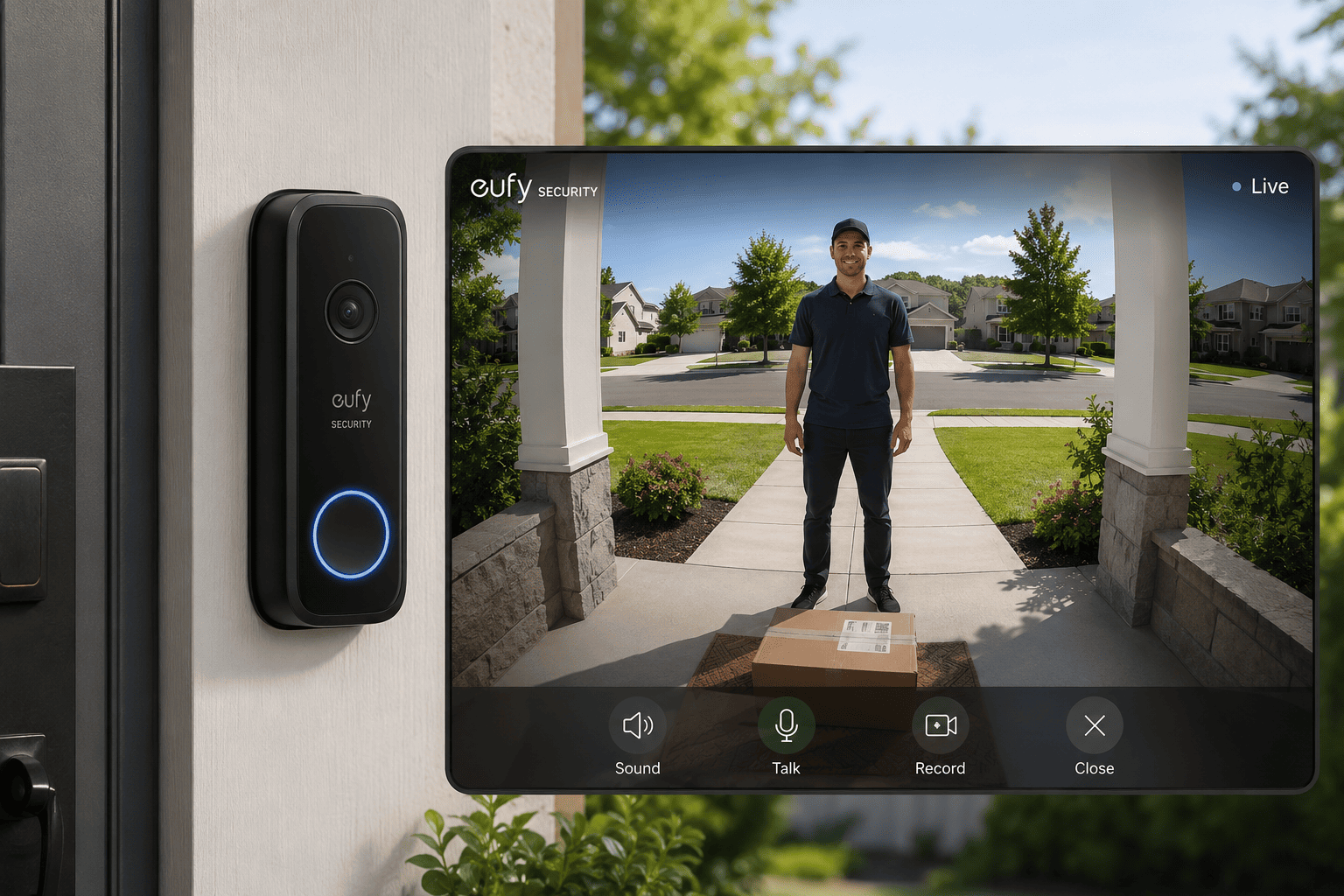
If seeing your entire front doorway is your top priority, the BOIFUN 180° Wide View Video Doorbell is an excellent upgrade. At around $50, it adds a wider field of view along with several smart detection features.
The standout feature is its 180-degree head-to-toe viewing angle, allowing you to see visitors from head to foot while also keeping packages placed directly beneath the camera in view. This wider perspective reduces blind spots that can occur with narrower cameras.
Like the previous model, it records in 2K resolution and includes HDR night vision for improved visibility after dark. It also features AI human detection, helping reduce false alerts triggered by moving branches, passing vehicles, or animals.
Battery-powered installation keeps setup simple, while two-way audio lets you communicate with delivery drivers or guests without opening the door.
The BOIFUN 180° model is ideal if you:
- Want maximum front door coverage
- Frequently receive deliveries
- Prefer AI-assisted motion detection
- Need battery-powered installation
- Want a subscription-free smart doorbell
For busy households where package monitoring is important, the additional viewing angle can be especially useful.
Buying Guide: What to Look for in a Video Doorbell
Choosing the right video doorbell depends on more than just price. Here are the features that matter most.
Video Resolution
A higher resolution, such as 2K, provides clearer images that make it easier to identify visitors and read package labels.
Viewing Angle
A wider field of view helps eliminate blind spots around your entrance. Head-to-toe coverage is especially useful for monitoring deliveries.
Motion Detection
Look for adjustable motion zones and AI human detection to reduce unnecessary notifications caused by passing traffic or animals.
Power Source
Battery-powered models are easier to install, while wired models provide continuous power without needing to recharge.
Subscription Costs
Some brands require a monthly plan for cloud recording and video history. Others include many useful features without recurring fees.
Final Thoughts
Installing a Ring Doorbell camera is a straightforward project that most homeowners can complete in less than an hour. With proper placement, a strong Wi Fi connection, and carefully adjusted motion settings, you’ll have a reliable way to monitor your front door from almost anywhere.
If you’re also considering alternatives, there are excellent options available that deliver similar features without the added cost of a monthly subscription.
If you want the best balance of price, image quality, and everyday performance, the BOIFUN Video Doorbell Camera with a 166° viewing angle is an outstanding value.
If your priority is seeing both visitors and packages with the widest possible coverage, the BOIFUN 180° Head to Toe Video Doorbell is the better choice thanks to its expanded viewing angle and AI human detection.
Whichever model you choose, a well-installed video doorbell adds convenience, improves home security, and helps you stay connected to what’s happening at your front door whether you’re at home or away.